Best AI Apps for Apple Watch (2026)


Used by recruiters, executives, consultants, and more.
Best AI Apps for Apple Watch (2026)
You probably assume ChatGPT, Gemini, or Perplexity already have an apple watch ai app you can just download, the way they do on iPhone. As of this writing, none of the three companies behind those assistants publishes an official Apple Watch app. What does exist on Apple Watch is a mix of Apple's own Siri, a genuine AI note taker built for the Watch, and a handful of third-party apps that connect to ChatGPT or Gemini on your behalf. We tested and compared the top options. Here are the 6 best AI apps for Apple Watch.
Best AI App for Apple Watch at a Glance (2026)
The best AI apps for Apple Watch in 2026 are:
- Speakwise - Best overall for AI note taking on your wrist
- Granola - Best for AI meeting notes started on Apple Watch
- Siri - Best built-in AI assistant, no extra app needed
- Wrist AI - Best third-party way to reach ChatGPT and Gemini from your wrist
- Petey - Best dedicated ChatGPT app for Apple Watch
- Per Watch - An early attempt at Perplexity on Apple Watch, with real reliability issues
Speakwise and Granola are built specifically for the Watch and record real audio. Wrist AI, Petey, and Per Watch are text and voice chat clients built by independent developers, not by OpenAI, Google, or Perplexity themselves.
1. Speakwise - Best Overall for AI Note Taking on Your Wrist
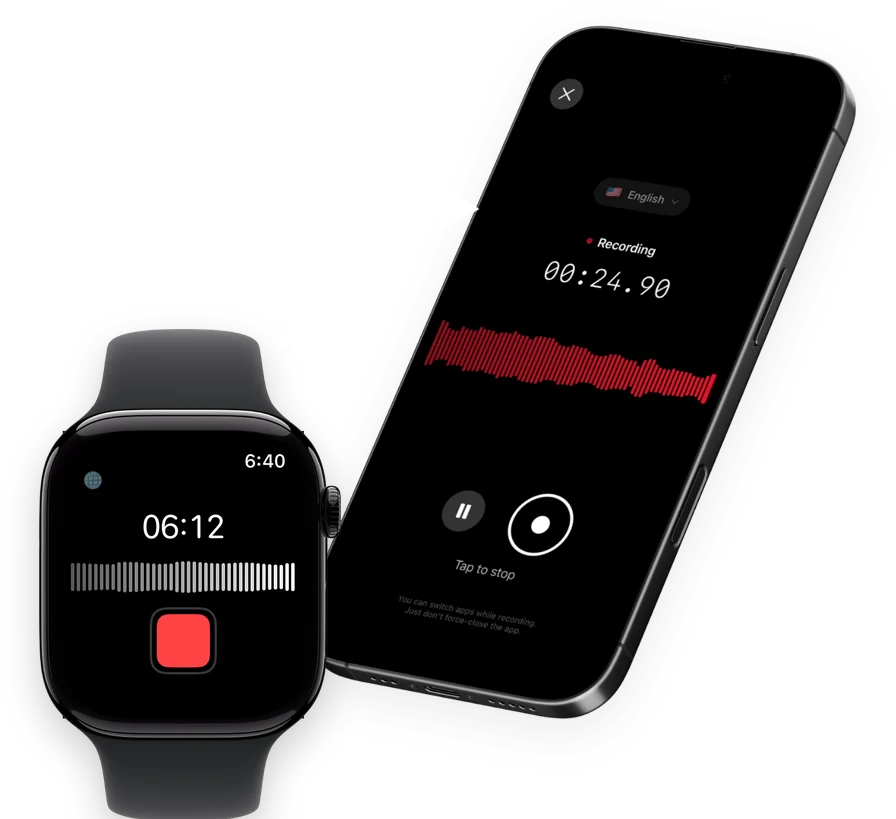
Speakwise is an AI note taker and voice recorder for iPhone with an Apple Watch companion app. Tap once on your wrist to start recording, and the audio syncs to your iPhone, where Speakwise transcribes it with speaker labels and turns it into an AI summary with action items.
Why Speakwise Stands Out
Most "AI apps" people look for on Apple Watch are chatbots. Speakwise is a different kind of AI app. It listens to something real, a conversation, a lecture, a site visit, and turns it into a transcript and summary without you typing a single prompt.
Key Features
- One-tap recording from your wrist: Start and stop on Apple Watch, then the audio syncs to your iPhone.
- Long Recording Support: iPhone sessions run up to 5 hours, for lectures or long meetings.
- Works Offline: Your iPhone saves the audio first and syncs to transcribe once you reconnect.
- Action Items in Seconds: Pulls clear action items out of the recording automatically.
- 95%+ transcription accuracy: Reaches 95%+ accuracy in optimal conditions, 92%+ in noisy rooms.
- 100+ language support: Transcribes in more than 100 languages.
- Native Notion integration: Summaries sync directly into Notion.
- AirPods hands-free control: Start, pause, or stop a recording through AirPods.
Pricing
- Free to download with a free trial, then a Pro subscription through the App Store.
Best For
- People who want AI applied to something they recorded, not a chat window
- Meetings, interviews, and lectures started from the wrist
- Notion users
Limitations
- iPhone and Apple Watch only, no Android or desktop version
- Does not answer general questions the way a chatbot does
Speakwise gets your hours back.
- ✓Built for in-person meetings, interviews, and site visits.
- ✓Trusted by recruiters, consultants, agents, and field pros.
- ✓One tap to record. Notion-ready summary in minutes.

2. Granola - Best for AI Meeting Notes Started on Apple Watch
Granola is a well known AI meeting notes tool that added a genuine Apple Watch app in July 2026. Recording works offline directly on the Watch, and once it syncs to your iPhone, Granola generates highlights, decisions, and action items.
Key Features
- Native Apple Watch recording, offline capable
- AI-generated meeting highlights and action items after sync
- Syncs to iPhone for note generation
Pricing
- Free on the App Store listing, though Granola's broader product has paid web and desktop plans.
Best For
- People already using Granola for meetings on other devices
Limitations
- Note generation requires an internet connection after the recording syncs
- Speaker identification on Watch recordings is not confirmed
3. Siri - Best Built-In AI Assistant, No Extra App Needed
Siri is already on every Apple Watch, and it can create reminders, send messages, and start a note by voice, all without installing anything. Siri still relies on your paired iPhone for most processing. Apple released watchOS 27 on September 14, 2026, and it brought a more conversational Siri that Apple calls Siri AI. Apple's own release notes describe it as drawing on personal context, app actions, onscreen awareness, and broad world knowledge, and say it is rolling out to users. Apple's new, more natural-sounding Siri voice runs on models on a paired iPhone Air or iPhone 17 Pro and later.
Key Features
- Built into every Apple Watch at no cost
- Creates reminders, sends messages, and starts notes by voice
- A more conversational Siri AI shipped with watchOS 27 on September 14, 2026, and is rolling out to users
Pricing
- Free, built into watchOS.
Best For
- Quick voice commands and system tasks
- Anyone who wants zero setup
Limitations
- Relies on your paired iPhone for most processing
- Not a chatbot for open-ended questions the way ChatGPT is
- The bigger, more conversational Siri AI is still rolling out to users, so you may not have it yet
4. Wrist AI - Best Third-Party Way to Reach ChatGPT and Gemini
Wrist AI is an independent app, not made by OpenAI or Google, that connects to ChatGPT and Gemini from a complication on your watch face. Tap the complication, speak your question, and a response streams back in a few seconds, using the OpenAI API and Gemini API. On a cellular Apple Watch, it can work even when your iPhone is left behind.
Key Features
- One-tap access to ChatGPT or Gemini from a watch face complication
- Voice input with a spoken response
- Works over cellular without an iPhone nearby, on cellular Watch models
Pricing
- A free tier allows a small number of chats a day; paid tiers run from about $2 to $6 a month, billed monthly or yearly.
Best For
- People who want fast chatbot answers without opening an app on their phone
Limitations
- Built by an independent developer, not OpenAI or Google
- The free tier is limited to a small number of daily chats
5. Petey - Best Dedicated ChatGPT App for Apple Watch
Petey is a third-party app built around ChatGPT, available on iPhone, iPad, and Apple Watch. It supports typed or dictated questions and reads answers back with text-to-speech.
Key Features
- ChatGPT access from iPhone, iPad, and Apple Watch
- Voice dictation in, text-to-speech responses out
- Multi-turn conversations
Pricing
- A premium subscription runs a monthly or yearly fee; a pay-as-you-go option using your own OpenAI API key is also available.
Best For
- People who want a ChatGPT client across their whole Apple device lineup
Limitations
- Not made by OpenAI, so it depends on Petey's own app staying maintained
- Requires a subscription or your own API key for the newer AI models
6. Per Watch - An Early Attempt at Perplexity on Apple Watch
Per Watch is an independent app that connects to Perplexity's AI search, which is built to answer questions using current web results rather than training data alone. It is free to use.
We are including it for completeness, but not without a caveat. Its own App Store reviews describe real problems, including answers appearing in the wrong language and the app not working at all for some users.
Key Features
- Connects to Perplexity's web-search AI
- Quick-answer style short responses
- Watch face complications
Pricing
- Free, no subscription required.
Best For
- People who want to try a free, independent Perplexity client
Limitations
- Independent developer app, not made by Perplexity
- User reviews report reliability problems, including incorrect language output
How to Choose the Best AI App for Apple Watch
- AI applied to something real, or a chatbot. Speakwise and Granola process an actual recording. Siri, Wrist AI, Petey, and Per Watch answer questions or commands.
- Official or third-party. Speakwise, Granola, and Siri are built by the companies whose name is on them. Wrist AI, Petey, and Per Watch are independent apps connecting to ChatGPT, Gemini, or Perplexity, not built by those companies.
- Does it need your iPhone nearby. Speakwise and Granola both record on the Watch and sync once your iPhone is back in range. Wrist AI can work over cellular without an iPhone present, on supported Watch models.
- What you do with the output. If you need a transcript, summary, and action items from a real conversation, Speakwise fits. If you need quick answers to general questions, a chatbot client fits better.
- Cost and reliability. Siri and Per Watch are free. Wrist AI and Petey use subscriptions after a limited free tier. Check recent App Store reviews before relying on any third-party chatbot client, since quality varies app to app.
For related reading, see our Best Notes App for Apple Watch and our best AI note taker for iPhone.
Frequently Asked Questions
What is the best AI app for Apple Watch?
Speakwise is the best AI app for Apple Watch if you want AI applied to a real recording. Record from your wrist, and it syncs to your iPhone, where it gets transcribed with speaker labels and turned into an AI summary with action items. If you want a chatbot instead, Siri is built in for free, and third-party apps like Wrist AI connect to ChatGPT and Gemini.
Does ChatGPT have an official Apple Watch app?
No. As of this writing, OpenAI has not released an official ChatGPT app for Apple Watch. Third-party apps like Wrist AI and Petey connect to ChatGPT's API and add a Watch interface, but neither is made by OpenAI.
Does Google Gemini work on Apple Watch?
Not through an official Google app. Google's own Gemini app does not include an Apple Watch companion as of this writing. Independent apps such as Wrist AI connect to the Gemini API and let you chat with it from your wrist.
Is Siri an AI app?
Yes, in the sense that it is Apple's built-in voice assistant, though it has been more limited than chatbots like ChatGPT. Apple released watchOS 27 on September 14, 2026, with a more conversational version of Siri called Siri AI, able to draw on personal context and hold more natural conversations. It is rolling out to users. Apple's new, more natural-sounding Siri voice runs on models on a paired iPhone Air or iPhone 17 Pro and later.
Is there a free AI app for Apple Watch?
Yes. Siri is free and built into every Apple Watch. Granola's Apple Watch app is free on the App Store. Speakwise is free to download with a free trial, then moves to a Pro subscription through the App Store for transcription and AI summaries.
Final Verdict
If you want AI to do something with a real conversation, a transcript, speaker labels, and a summary with action items, Speakwise is the strongest pick, and Granola is a solid alternative if you already use it for meetings elsewhere.
If what you actually want is a chatbot on your wrist, Siri is free and already there, and watchOS 27, out since September 14, 2026, brought a more conversational Siri AI that is still rolling out to users. Wrist AI and Petey are the more capable third-party ways to reach ChatGPT and Gemini, and Per Watch is worth trying only if you are comfortable with an unofficial, less reliable Perplexity client.
Download Speakwise from the App Store and put real AI to work on your Apple Watch recordings.
🎯 4.9★ App Store Rating | 📱 Built for iOS
