Best App for Recording Conversations on Apple Watch (2026)


Used by recruiters, executives, consultants, and more.
Best App for Recording Conversations on Apple Watch in 2026
Yes, you can record audio on Apple Watch. Your wrist has a working microphone, and several apps use it to record a conversation the moment it starts, without you pulling out your iPhone. That matters when a client stops you in the hallway, an idea comes up over coffee, or a quick chat turns into something worth remembering. We tested and compared the top options. Here are the 5 best apps for recording conversations on Apple Watch in 2026.
Not every app treats the recording the same way once it's captured. Some just save the audio file. Others turn it into a transcript, and a few add an AI summary so you don't have to listen back at all.
Best App for Recording Conversations on Apple Watch at a Glance (2026)
The best apps for recording conversations on Apple Watch in 2026 are:
- Speakwise - Best overall, with speaker labels and an AI summary after the recording syncs to your iPhone
- Just Press Record - Best one-time purchase, with an on-device transcript on the wrist
- Whisper Memos - Best for a written recap sent straight to your inbox
- Apple Voice Memos - Best free option, built into every Apple Watch
- Cleft Notes - Best for recording when your iPhone is out of range
Speakwise is the only one here that turns a Watch recording into a labeled transcript and a summary automatically. The rest focus on the recording itself.
Before you start: recording another person means getting their okay first. Say out loud that you're recording and wait for them to agree. Rules on this vary by state and country, so when in doubt, ask. Our guide to recording laws on iPhone covers the basics in plain language.
1. Speakwise - Best Overall for Recording Conversations on Apple Watch
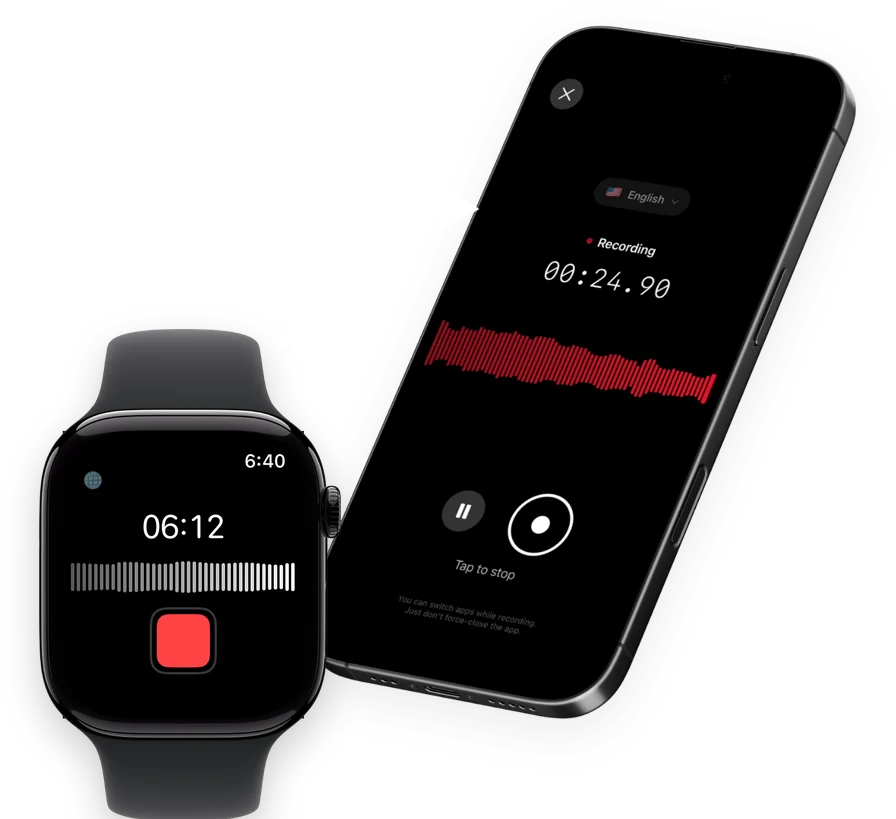
Speakwise is an AI note taker, voice recorder and voice-to-text app for iPhone with an Apple Watch companion app. Tap once on your Watch to start recording a conversation, and tap again to stop. The recording syncs to your iPhone, where Speakwise transcribes it, labels who said what, and writes a summary with action items. It's built for people who record often and don't want to type up notes afterward.
Why Speakwise Stands Out
Most Watch recorders stop at the recording. Speakwise treats the recording as a starting point. Once it syncs to your iPhone, you get a full transcript with speaker labels, so a two-person chat or a small group conversation reads back clearly, not as one wall of text.
The AI summary follows templates built for real situations: meeting notes and action items, an interview writeup, a lecture recap, and more. If you use Notion, the summary syncs there on its own, so a hallway conversation can turn into a shared note without any copying and pasting.
Key Features
- One-Tap Recording from Your Wrist: Start and stop a recording on your Apple Watch with a single tap, then let it sync to your iPhone automatically.
- Speaker Labels: The transcript shows who said what, which matters the moment more than one voice is on the recording.
- AI Summaries: Every recording gets a summary built from a template, including meeting notes, interviews, and more, with action items pulled out automatically.
- 100+ Languages: Transcription covers more than 100 languages, with 95%+ accuracy in good conditions and 92%+ in a noisy room.
- Long iPhone Recordings: On iPhone, Speakwise records up to 5 hours in one session with no daily limit, and keeps recording with the screen off.
- Records Offline: Your iPhone saves the audio first, then syncs it to transcribe once you're back online. AirPods, Bluetooth earbuds and external mics all work as the microphone.
- Native Notion Sync: Summaries and transcripts sync straight into Notion, so a recorded conversation becomes a shared, searchable note.
Pricing
- Free Trial: Full access to try recording, transcripts and AI summaries
- Pro: Free trial, then a Pro subscription through the App Store
Best For
- Anyone who wants a hallway conversation to become a written summary automatically
- Multi-person chats where you need to know who said what
- People who already use Notion for notes and follow-ups
Limitations
- iPhone and Apple Watch only, no Android or desktop version
- The transcript and summary appear after the recording syncs to your iPhone, not on the Watch itself
- Not built for recording phone calls
Speakwise gets your hours back.
- ✓Built for in-person meetings, interviews, and site visits.
- ✓Trusted by recruiters, consultants, agents, and field pros.
- ✓One tap to record. Notion-ready summary in minutes.

2. Just Press Record - Best One-Time Purchase
Just Press Record is a minimalist recorder that works the same way on iPhone, iPad, Mac and Apple Watch. On the Watch, it records straight from the wrist, even with your iPhone out of range, and gives you an on-device transcript once the recording syncs, no subscription required.
Key Features
- One-tap recording on Apple Watch that works without your iPhone nearby
- On-device transcript in more than 30 languages
- Unlimited recording length
- Syncs across your Apple devices through iCloud
Pricing
$6.99 one-time purchase, no subscription.
Best For
- People who want a transcript without paying for it every month
- Recording when your iPhone is in another room
Limitations
- No AI summary or speaker labels
- One flat transcript, with no way to organize it by topic or template
3. Whisper Memos - Best for a Written Recap by Email
Whisper Memos records a conversation on your Apple Watch, then sends you a cleaned-up written version by email using cloud-based AI transcription. Its Meeting Mode assigns names to different speakers, which helps when the recording involves more than one voice.
Key Features
- Records on the wrist and sends a transcribed recap straight to your inbox
- Meeting Mode labels speakers by name
- Recordings run up to 90 minutes each, with no daily limit
Pricing
$9.99 per month, or $59.99 per year.
Best For
- People who read their notes in email rather than inside an app
- Conversations with a few named speakers
Limitations
- Transcription happens in the cloud, not on the device
- No native Notion or notes-app sync
4. Apple Voice Memos - Best Free Option
Apple Voice Memos is built into every Apple Watch at no cost. Apple's own instructions confirm you can record and play voice memos even when your iPhone isn't nearby, and recordings sync to your iPhone through iCloud once you're both signed in and online. There's no stated maximum recording length.
Key Features
- Free, with no app to download
- Records without your iPhone connected
- Syncs automatically through iCloud to the Voice Memos app on iPhone
Pricing
Free, built into watchOS.
Best For
- Quick, casual recordings you don't need transcribed
- Anyone who wants zero setup
Limitations
- No transcript on the Watch itself in any watchOS version through 26.6
- No speaker labels or AI summary
- Sync depends on iCloud being turned on and a working internet connection
5. Cleft Notes - Best for When Your iPhone Is Out of Range
Cleft Notes is built for people who think out loud. Its Apple Watch app records fully offline, even with your iPhone far away, and queues the recording locally until your phone is reachable again. Transcription and the AI summary both happen once the recording reaches your iPhone.
Key Features
- Fully offline recording on the Watch, with local queuing until sync is possible
- AI summary generated once the recording syncs to iPhone
- Automatic sync over Bluetooth or shared WiFi, no manual export
Pricing
Free with in-app purchases; Cleft Plus costs $6.99 per month or $39.99 per year.
Best For
- Recording conversations in places with no signal, like a job site or a hike
- People who think through ideas out loud and want them organized afterward
Limitations
- Fewer template options for the AI summary than a dedicated meeting-notes app
- Best suited to solo or two-person conversations rather than large groups
How to Choose the Best App for Recording Conversations on Apple Watch
- Decide if you need a transcript or just audio. Apple Voice Memos and Just Press Record both save the recording well, but only Just Press Record turns it into text on its own. If you want to read the conversation back instead of listening to it, pick a transcribing app.
- Check how it gets the recording to your iPhone. Every app here syncs automatically, either through iCloud or its own sync system. None require you to plug in a cable or manually export a file.
- Think about how many people are talking. A one-on-one chat is easy for any of these apps. A group conversation is where speaker labels start to matter, and Speakwise is the only app here that labels speakers automatically.
- Match the follow-up to your workflow. If you already live in Notion, native sync saves real time. If you'd rather read a recap in your inbox, Whisper Memos fits that habit.
- Weigh cost against how often you record. A one-time purchase like Just Press Record pays for itself fast if you record occasionally. A subscription earns its keep if recording conversations is a daily habit and you want the summary done for you.
If you'd rather record from your phone instead of your wrist, our roundup of the best apps for recording conversations on iPhone covers that side of the same problem, including options built for larger group settings like our guide to recording group conversations on iPhone.
Frequently Asked Questions
Can you record audio on Apple Watch?
Yes. Every Apple Watch has a built-in microphone, and Apple's own Voice Memos app can record and play back audio directly from the wrist, even without your iPhone nearby. Several third-party apps, including Speakwise, Just Press Record, Whisper Memos and Cleft Notes, also record natively on the Watch. Recordings then sync to your iPhone, usually through iCloud or the app's own sync system, so you don't have to do anything extra to get the audio off your wrist.
Can I record a conversation on my Apple Watch without my iPhone nearby?
Yes, for most of the apps in this guide. Apple's own documentation confirms Voice Memos works this way, and Just Press Record and Cleft Notes are both built to record with your iPhone out of range, then sync once you're back in range. Speakwise starts and stops recording from the Watch and syncs the result to your iPhone, where the transcript and summary appear.
Do I need permission to record someone else's conversation?
In most places, yes, at least from one party to the conversation, and in some states and countries, from everyone involved. The safest habit is to say out loud that you're recording and wait for people to agree before you start. Rules differ by location, so if you're unsure, ask first rather than record secretly.
Which Apple Watch recording app has the best transcript?
Speakwise produces the most complete result: a transcript with speaker labels and an AI summary, generated automatically once your recording syncs to your iPhone. Just Press Record produces an on-device transcript with no speaker labels or summary attached. Apple Voice Memos does not produce any transcript on the Watch in current watchOS versions.
What is the best free app for recording conversations on Apple Watch?
Apple Voice Memos is the best free option, since it comes built into every Apple Watch with no download or account needed. It records reliably and syncs to your iPhone through iCloud. If you want a free way to try an app with a transcript and AI summary, Speakwise offers a free trial before its Pro subscription starts.
Final Verdict
Every app in this list can capture a conversation from your wrist. What separates them is what happens to that recording afterward.
Apple Voice Memos is the simplest way to start, and it costs nothing. Just Press Record is the best value if you want a transcript without a subscription. But if you want the recording to turn into something useful on its own, a labeled transcript and a written summary waiting on your iPhone, Speakwise is the strongest choice.
Download Speakwise from the App Store and turn your next hallway conversation into notes you don't have to write yourself.
🎯 4.9★ App Store Rating | 📱 Built for iOS
