Best Voice to Text App for Apple Watch (2026)


Used by recruiters, executives, consultants, and more.
Best Voice to Text App for Apple Watch (2026)
You want to turn what you say into text without pulling out your phone or typing on a screen the size of a stamp. Apple watch voice to text starts with a feature already on your wrist: tap the microphone icon in any text field and Dictation converts your speech into words. That covers messages and reminders, but it does not turn a longer voice memo into a transcript on its own. For that, you need a dedicated app. We tested and compared the top options. Here are the 6 best apple watch voice to text apps.
Best Apple Watch Voice to Text App at a Glance (2026)
The best apple watch voice to text apps in 2026 are:
- Speakwise - Best overall for turning recordings into text and summaries
- Apple Dictation - Best free built-in way to talk to text anywhere on Watch
- Apple Voice Memos - Best free path from a recording to text on iPhone
- Just Press Record - Best for a fast on-device transcript
- Speechy - Best for on-device dictation with speaker labels
- Talk Into Notes - Best for sending a voice note straight to Apple Notes
Apple Dictation converts short phrases as you speak them, in a text field. Every other app on this list turns a longer spoken recording into text after the fact, which is a different job.
1. Speakwise - Best Overall Apple Watch Voice to Text App
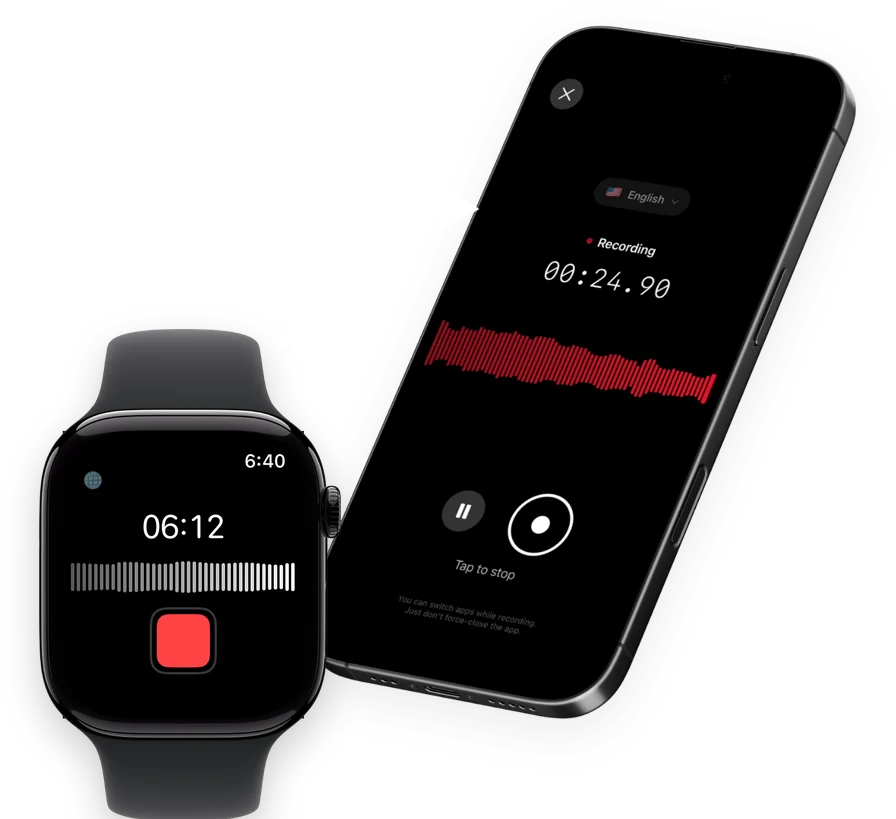
Speakwise is an AI note taker and voice recorder for iPhone with an Apple Watch companion app. Record from your wrist, and the audio syncs to your iPhone, where Speakwise turns your speech into text with speaker labels and an AI summary with action items.
Why Speakwise Stands Out
Dictation is built for short phrases typed one at a time. Speakwise is built for the opposite: a full conversation, meeting, or lecture converted to text all at once, with a summary on top so you do not have to read every word to find what mattered.
Key Features
- One-tap recording from your wrist: Start and stop on Apple Watch, then the audio syncs to your iPhone.
- Long Recording Support: iPhone sessions run up to 5 hours, for lectures or long meetings.
- Works Offline: Your iPhone saves the audio first and syncs to transcribe once you reconnect.
- Action Items in Seconds: Pulls clear action items out of the recording automatically.
- 95%+ transcription accuracy: Reaches 95%+ accuracy in optimal conditions, 92%+ in noisy rooms.
- 100+ language support: Transcribes in more than 100 languages.
- Native Notion integration: Summaries sync directly into Notion.
- AirPods hands-free control: Start, pause, or stop a recording through AirPods.
Pricing
- Free to download with a free trial, then a Pro subscription through the App Store.
Best For
- People who want a full conversation turned into text, not just a phrase
- Meetings, interviews, and lectures started from the wrist
- Anyone who wants a summary along with the text
Limitations
- iPhone and Apple Watch only, no Android or desktop version
- Text appears after the recording syncs to your iPhone, not instantly on the Watch
Speakwise gets your hours back.
- ✓Built for in-person meetings, interviews, and site visits.
- ✓Trusted by recruiters, consultants, agents, and field pros.
- ✓One tap to record. Notion-ready summary in minutes.

2. Apple Dictation - Best Free Built-In Way to Talk to Text
Dictation is Apple's own voice-to-text feature, built into every text field on Apple Watch. Tap the dictate button in Messages, search, or any other text field, and your speech converts to text as you talk. You can speak punctuation like "question mark" and emoji names like "thumbs up emoji," and edit the result with the Digital Crown.
Dictation works on the Watch itself, though Apple notes your paired iPhone can be used as an alternative way to enter text if it is nearby. It is not available in all languages.
Key Features
- Voice-to-text in any text field, no separate app needed
- Speaks punctuation and emoji names as words
- Digital Crown editing of the result
Pricing
- Free, built into watchOS.
Best For
- Short messages, replies, and search terms
- Quick text entry with no app to open
Limitations
- Not built for long recordings or meetings
- Not available in all languages
- No transcript file or summary is saved anywhere
3. Apple Voice Memos - Best Free Path From a Recording to Text
Apple Voice Memos records on the Watch and syncs to your iPhone through iCloud, but the Watch app itself never produces text. Once a recording reaches the iPhone's own Voice Memos app, iOS 18 and later can transcribe it there, so a Watch recording can end up as text without a third-party app, just not automatically.
Key Features
- Records with no iPhone required
- Automatic iCloud sync to iPhone
- iPhone-side transcription available in the iPhone Voice Memos app (iOS 18+)
Pricing
- Free, built into watchOS and iOS.
Best For
- People willing to open the iPhone app for a transcript afterward
Limitations
- No transcript directly on the Watch
- No AI summary or speaker labels
4. Just Press Record - Best for a Fast On-Device Transcript
Just Press Record records natively on Apple Watch and converts speech to text on-device, in 30+ languages, without sending anything to the cloud.
Key Features
- Native Apple Watch recording, no iPhone required
- On-device transcription in 30+ languages
- iCloud sync across Apple devices
Pricing
- $6.99 one-time purchase, no subscription.
Best For
- People who want text without a subscription or an internet connection
Limitations
- No AI summary or speaker labels
5. Speechy - Best for On-Device Dictation With Speaker Labels
Speechy records on Apple Watch, with no iPhone required per its own App Store listing, and transcribes on-device using Apple's own speech recognition. It also adds speaker labels, a feature most simple recorders skip.
One thing to check before downloading: Speechy's App Store listing currently states it requires watchOS 26.0 or later, a notably higher floor than most other apps on this list.
Key Features
- Native Watch recording with on-device transcription
- Speaker labels
- Works offline, since transcription happens on-device
Pricing
- Monthly $6.99, yearly $47.99, or a $9.99 one-time option.
Best For
- People who want speaker labels without cloud processing
Limitations
- Requires a newer watchOS version than most alternatives
- AI summary features are not confirmed in the App Store listing
6. Talk Into Notes - Best for Sending a Voice Note Straight to Apple Notes
Talk Into Notes has one job: record a quick voice note on your Watch or iPhone, transcribe it on-device on the iPhone, and send the text into the Apple Notes app, with an optional Shortcut automation for the last step.
Key Features
- Records from Watch or iPhone
- On-device transcription on iPhone
- Exports directly into Apple Notes
Pricing
- Free to download, supported by optional in-app tips.
Best For
- People who already live in Apple Notes and want voice memos to land there directly
Limitations
- No AI summary or speaker labels
- Thin public track record, with too few App Store ratings to display
How to Choose the Best Apple Watch Voice to Text App
- Short phrases or full recordings. Apple Dictation is built for typing a message or a search term by voice. Everything else here turns a longer recording into text after the fact.
- On-device or cloud processing. Just Press Record and Speechy keep transcription on-device. Speakwise processes in the cloud once the recording syncs.
- Do you want a summary, not just text. Speakwise is the only app here that turns the text into a summary with action items automatically.
- Where the text ends up. Talk Into Notes sends text into Apple Notes. Speakwise sends a summary into Notion. The rest keep the transcript inside the app itself.
- Subscription or one-time cost. Just Press Record is a one-time $6.99 purchase. Speechy offers both a subscription and a one-time option. Speakwise uses a free trial, then a subscription.
For related reading, see our Best Voice Memo App for Apple Watch and our best voice to text app for iPhone for the wider iPhone landscape.
Frequently Asked Questions
What is the best voice to text app for Apple Watch?
Speakwise is the best voice to text app for Apple Watch if you want a full recording converted to text with a summary. Record from your wrist, and it syncs to your iPhone, where it gets transcribed with speaker labels and turned into an AI summary with action items. For short messages, Apple's own Dictation feature is free and built into every text field.
How do I talk to text on Apple Watch?
Tap the microphone icon, called the dictate button, in any text field on Apple Watch, such as a Messages reply or a search box. Speak naturally, including punctuation like period or question mark, and the words appear as text. This works well for short entries. For a full recording turned into text, use an app like Speakwise or Just Press Record instead.
Why is voice to text not working on my Apple Watch?
A few things commonly cause this. Dictation needs a connection for some languages, and it is not available in every language at all. A weak Bluetooth or WiFi connection between your Watch and iPhone can also delay recognition. If a specific app's voice to text is not working, check that the app has microphone permission in the Watch app on your iPhone, and that your Watch software is up to date.
Can Apple Watch convert a voice memo into text automatically?
Not with Apple's own Voice Memos app, since the Watch version only records and plays audio. If you sync that recording to the iPhone's Voice Memos app, iOS 18 and later can transcribe it there. Third-party apps like Speakwise, Just Press Record, and Speechy convert a Watch recording into text automatically once it syncs.
Is there a free voice to text app for Apple Watch?
Yes. Apple Dictation is free and built into every text field on the Watch. Talk Into Notes is free to download. Speakwise is free to download with a free trial, then moves to a Pro subscription through the App Store for transcription and AI summaries.
Final Verdict
For turning a real conversation into text, not just a short phrase, Speakwise is the strongest pick. It records from your wrist and returns a transcript with speaker labels and an AI summary once it reaches your iPhone.
For quick messages and search terms, Apple's built-in Dictation is free and already there. Just Press Record and Speechy handle longer recordings on-device without a cloud step, and Talk Into Notes is a simple way to get a voice note straight into Apple Notes.
Download Speakwise from the App Store and turn your Apple Watch recordings into text and summaries automatically.
🎯 4.9★ App Store Rating | 📱 Built for iOS
