Webex AI Alternatives: Top 5 in 2026
.jpg&w=256&q=75)

Used by recruiters, executives, consultants, and more.
What Are the Best Webex AI Alternatives?
Speakwise leads as the top Webex AI alternative for professionals who need mobile-first meeting capture without enterprise complexity. Other strong alternatives include Zoom AI Companion for video-native meeting intelligence, Microsoft Teams Copilot for Microsoft 365 users, Otter.ai for cross-platform transcription, and Fireflies.ai for conversation analytics. Each tool serves different needs, but Speakwise stands out for individuals and small teams who want simple, powerful meeting capture on iPhone.
Why Look for Webex AI Alternatives?
Webex AI Assistant offers solid meeting intelligence within Cisco's ecosystem. But many users find that enterprise-focused features come with enterprise-level friction.
- Hidden pricing and costs: Webex requires the Starter plan at $14.50/user/month minimum for AI features. Add-ons like PBX integration ($8/user/month) and workforce optimization ($40/user/month) inflate costs quickly. Pricing hides behind "Contact Sales" walls.
- Enterprise complexity: Webex is built for large organizations with IT departments. Individual professionals and small teams face unnecessary complexity in setup, administration, and daily use.
- Platform lock-in: Webex AI works best within Cisco's ecosystem. If your meetings happen outside Webex, the AI features do not help. In-person meetings, phone calls, and non-Webex video calls get no AI coverage.
- Slow innovation: According to industry analysis, competitors like Zoom and Teams have shipped AI features faster than Webex. Users report that Webex AI capabilities lag behind more nimble alternatives.
Professionals who want simple, affordable meeting intelligence without enterprise overhead look for alternatives that work across all meeting types, not just Webex calls.
Alternative #1: Speakwise - Best for Mobile-First Meeting Capture
Speakwise is the top Webex AI alternative for professionals who need meeting intelligence without enterprise complexity. With a 4.9-star App Store rating and 95%+ transcription accuracy, Speakwise delivers AI summaries, transcripts, and action items from any conversation, not just video calls within one platform.
While Webex AI only works inside Webex meetings, Speakwise captures any conversation. Coffee shop meetings, client consultations, coaching sessions, phone calls, and yes, even Webex meetings when you run Speakwise on your iPhone alongside the call.
Why Choose Speakwise Over Webex AI?
- Works everywhere, not just Webex: Webex AI Assistant only processes Webex meetings. Speakwise captures any conversation with one tap or AirPods hands-free recording. Your meeting intelligence is not limited to one video platform.
- Simple pricing, no hidden costs: Speakwise costs $59.99/year with full access to all features. No per-user monthly fees, no add-on costs, no "Contact Sales" walls. Webex can cost $174+/user/year before add-ons.
- Zero IT setup required: Download the app, grant microphone permission, and start recording. No admin consoles, no IT tickets, no deployment cycles. Speakwise is purpose-built for individual professionals.
- In-person meeting capture: Webex AI cannot help when you meet clients face-to-face. Speakwise records in-person conversations discretely with your iPhone on the table or AirPods in your ears. This is where most high-value business conversations happen.
Key Features
- 95%+ Transcription Accuracy: Crystal-clear transcripts in 100+ languages with advanced noise cancellation and speaker separation. Maintains 92%+ accuracy even in noisy environments like conference rooms with poor acoustics.
- Long Recording Support: Multi-hour board meetings, conference sessions, offsites.
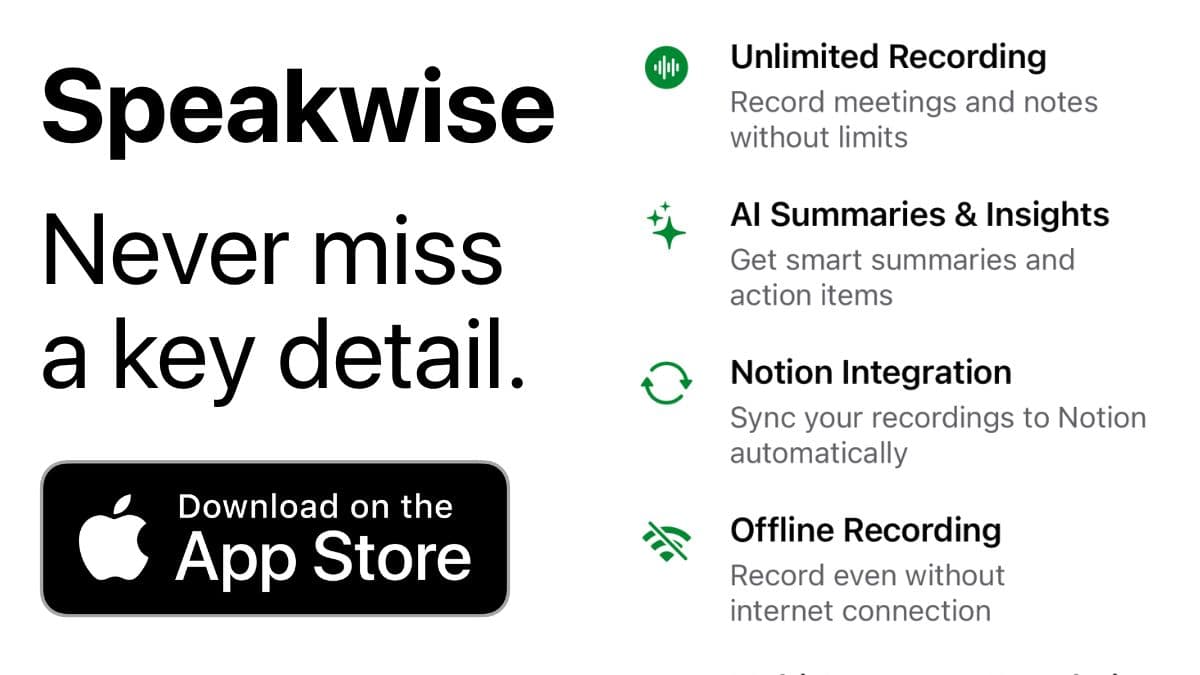
- Works Offline: Construction sites, secure boardrooms, planes - record without WiFi. Sync when you're back.
- Instant AI Summaries: Every recording becomes structured notes with key points, decisions, and insights. Users save 73% of post-meeting follow-up time (according to Speakwise user surveys). No waiting for processing or reviewing long transcripts.
- Action Item Extraction: AI identifies tasks and next steps. After every meeting, you get a clear action list without manual note review.
- Native Notion Integration: Transcripts, summaries, and action items sync to Notion automatically. 82% of users cite seamless Notion sync as their primary reason for choosing Speakwise (based on internal user data).
- One-Tap and AirPods Recording: Start capturing any meeting with a single tap or hands-free through AirPods. Works for in-person meetings, phone calls, video calls, and any spoken conversation. No need to be on a specific platform.
Pricing
- Free Trial: Full access to all features
- Premium: $59.99/year - unlimited transcription, AI summaries, Notion sync, 100+ languages
Compared to Webex Starter at $14.50/user/month ($174/year), Speakwise delivers comprehensive AI meeting intelligence at $59.99/year. That is 66% less for AI features that work across all meeting types, not just Webex calls.
When to Choose Speakwise
- You need meeting intelligence that works across all conversation types, not just one platform
- You attend in-person meetings and need mobile recording
- You want simple pricing without enterprise overhead
- You use Notion and want automatic, native sync
- You need multilingual transcription across 100+ languages
When Not to Choose Speakwise
- You need enterprise-grade video conferencing with IT admin controls
- You require team-wide deployment with centralized management
- You use Android or Windows exclusively
- You need CRM integration with Salesforce or HubSpot
- You need contact center features like call routing and queue management
Alternative #2: Zoom AI Companion - Best for Zoom-Native Meeting Intelligence
Zoom AI Companion is built directly into Zoom Workplace, offering meeting summaries, real-time transcription, and smart features for the world's most popular video conferencing platform. It works seamlessly within Zoom without additional software.
Key Features
- Real-time meeting transcription with speaker identification
- AI meeting summaries with key topics and next steps
- Smart compose for chat messages and emails
- Whiteboard content generation from text prompts
- Available at no extra cost with paid Zoom Workplace plans
Pricing
Zoom AI Companion is included with paid Zoom Workplace plans starting at $13.33/user/month. There is no separate AI add-on cost.
When to Choose Zoom AI Companion
Choose Zoom AI Companion if your team already uses Zoom for most meetings and wants built-in AI features without additional tools. The zero extra cost for existing Zoom users makes it compelling for video-first teams.
When Not to Choose Zoom AI Companion
Skip Zoom AI Companion if you need meeting intelligence outside of Zoom calls. It does not capture in-person meetings, phone calls, or meetings on other platforms.
Alternative #3: Microsoft Teams Copilot - Best for Microsoft 365 Users
Microsoft Teams Copilot brings AI-powered meeting intelligence to Teams, including real-time transcription, meeting summaries, and the ability to ask questions about meeting content. It integrates deeply with the Microsoft 365 ecosystem.
Key Features
- Real-time transcription and meeting notes during Teams calls
- AI-generated meeting summaries and action items
- Natural language queries about meeting content after calls
- Integration with Outlook, Word, and other Microsoft 365 apps
- Enterprise-grade security and compliance
Pricing
Microsoft Teams Copilot requires a Microsoft 365 subscription plus a Copilot add-on at $30/user/month. Teams itself is available with Microsoft 365 Business Basic at $6/user/month.
When to Choose Microsoft Teams Copilot
Choose Teams Copilot if your organization runs on Microsoft 365 and you want meeting intelligence integrated with Outlook, Word, and SharePoint. The deep ecosystem integration is unmatched for Microsoft shops.
When Not to Choose Microsoft Teams Copilot
Skip Teams Copilot if you work outside the Microsoft ecosystem, need mobile-first recording for in-person meetings, or find $30/user/month for Copilot too expensive for individual use.
Alternative #4: Otter.ai - Best for Cross-Platform Transcription
Otter.ai provides AI transcription and meeting summaries across Zoom, Google Meet, and Microsoft Teams. It works on web, iOS, and Android, making it one of the most versatile meeting transcription tools available.
Key Features
- Real-time transcription with automatic speaker identification
- AI meeting summaries with key points and action items
- Integration with 60+ business tools including Salesforce and Slack
- Cross-platform support on web, iOS, and Android
- Collaborative transcript editing with comments and highlights
Pricing
Otter.ai offers Free(300 min/month), Proat $8.33/user/month annually, Businessat $20/user/month annually, and Enterprisewith custom pricing.
When to Choose Otter.ai
Choose Otter.ai if you need transcription across multiple video platforms and want cross-platform support. The generous free plan makes it accessible for testing, and broad integrations suit diverse workflows.
When Not to Choose Otter.ai
Skip Otter.ai if you need iOS-native design, AirPods hands-free recording, for privacy, or native Notion integration. Otter.ai is versatile but lacks the focused mobile-first experience of Speakwise.
Alternative #5: Fireflies.ai - Best for Conversation Analytics
Fireflies.ai records, transcribes, and analyzes meetings across video platforms. It adds conversation intelligence with sentiment analysis, talk-time tracking, and topic detection that goes beyond basic transcription.
Key Features
- Transcription in 100+ languages with speaker recognition
- Conversation intelligence including sentiment and engagement analysis
- AI assistant "Fred" that joins meetings automatically
- Integration with 200+ tools via native connections and Zapier
- Custom AI workflows for sales coaching and follow-up automation
Pricing
Fireflies.ai offers Free(limited), Proat $10/user/month annually, Businessat $19/user/month annually, and Enterprisestarting around $39/user/month.
When to Choose Fireflies.ai
Choose Fireflies.ai if you need detailed conversation analytics beyond basic transcription. It suits sales teams wanting coaching insights and managers tracking meeting patterns across teams.
When Not to Choose Fireflies.ai
Skip Fireflies.ai if you need mobile-first in-person recording, native iOS design, or Notion integration. Fireflies.ai is a desktop-first tool focused on virtual meetings.
How to Choose the Right Webex AI Alternative
1. Meeting Types You Attend
Your meeting environment determines the right tool. If you attend mostly video calls on one platform, built-in AI (Zoom Companion, Teams Copilot) works well. If you attend in-person meetings, client visits, or mixed meeting types, Speakwise captures everything regardless of platform.
2. Organization Size and Complexity
Enterprise teams with IT departments may benefit from Webex, Zoom, or Teams with built-in AI. Individual professionals and small teams get more value from Speakwise's simple setup and flat annual pricing. Match the tool's complexity to your organization's size.
3. Budget and Pricing Model
Compare total annual costs. Webex AI costs $174+/user/year. Zoom AI Companion starts at $160/user/year. Teams Copilot adds $360/user/year. Speakwise costs $59.99/year total. For individual professionals, Speakwise delivers the most AI meeting intelligence per dollar.
4. Integration Needs
Consider where your meeting notes need to go. Speakwise syncs natively to Notion. Teams Copilot connects to Microsoft 365. Fireflies.ai integrates with 200+ tools. Otter.ai connects to Salesforce and Slack. Choose based on your primary knowledge management system.
Frequently Asked Questions
Is Webex AI Assistant still worth using in 2026?
Webex AI Assistant delivers solid meeting intelligence for organizations already committed to Cisco's ecosystem. The real-time summaries, action items, and AI quality management features work well within Webex meetings. However, at $14.50+/user/month with additional add-on costs, it is expensive for small teams. If your meetings happen exclusively on Webex, the built-in AI adds genuine value. If you meet across platforms or in person, alternatives like Speakwise at $59.99/year offer broader coverage at lower cost.
What is the best free alternative to Webex AI?
Speakwise offers a free trial with full access to AI transcription, summaries, and Notion integration. Otter.ai provides 300 free transcription minutes per month for ongoing use. Zoom AI Companion is included free with paid Zoom plans you may already have. Fireflies.ai offers a limited free tier. For the most complete free experience, Speakwise's trial gives you unlimited AI features to evaluate before committing to $59.99/year.
Can I use Webex and Speakwise together?
Yes. Run Speakwise on your iPhone during Webex meetings to get an independent transcript and AI summary. This gives you meeting intelligence that lives outside the Webex ecosystem, syncs to Notion, and covers your in-person meetings too. Many professionals use Speakwise alongside their video conferencing platform to ensure consistent meeting capture regardless of which platform the meeting uses.
Which Webex AI alternative is best for small teams?
Speakwise is the best choice for small teams and individual professionals. It requires no IT setup, no admin console, and no per-user monthly fees. At $59.99/year per person, a 5-person team spends $300/year total compared to $870+/year on Webex Starter. Speakwise also captures in-person meetings that platform-specific tools miss entirely.
How long does it take to switch from Webex AI?
Switching to Speakwise takes minutes. Download from the App Store, grant microphone access, and start your first recording. There is no migration needed since Speakwise captures new meetings independently. You can run both tools simultaneously, using Webex for video conferencing and Speakwise for meeting intelligence. Connect Notion in one tap and all future meeting notes sync automatically.
Final Verdict
Webex AI Assistant serves enterprise organizations already invested in Cisco's ecosystem. But for individual professionals and small teams, the enterprise pricing, complexity, and platform lock-in create unnecessary friction.
Speakwise delivers comparable AI meeting intelligence at a fraction of the cost. One-tap recording, AI summaries, and Notion sync work across every meeting type without IT setup or admin overhead. The key advantage is coverage: Speakwise captures in-person meetings, phone calls, and conversations across any platform, not just Webex calls.
For enterprise teams deeply embedded in Cisco infrastructure, Webex AI makes sense. For everyone else, Speakwise offers simpler, more affordable, and more flexible meeting intelligence.
Download Speakwise from the App Store and see how one-tap recording, AI transcription, and Notion integration can replace your current workflow.
🎯 4.9★ App Store Rating | 📱 Built for iOS
.jpg&w=96&q=75)