 Speakwise
Free AI Note Taker: Record or Upload
This free AI note taker records right in your browser, or you can upload a file. You get a transcript, then an AI summary.
 Speakwise - AI Note Taker
Never miss a key detail
- Smart summaries and action items.
- Speaker diarization labels who said what.
- Unlimited premium transcription.
- Auto-sync to Notion.
- Record offline, even with no signal.

How it works
1. Record or upload
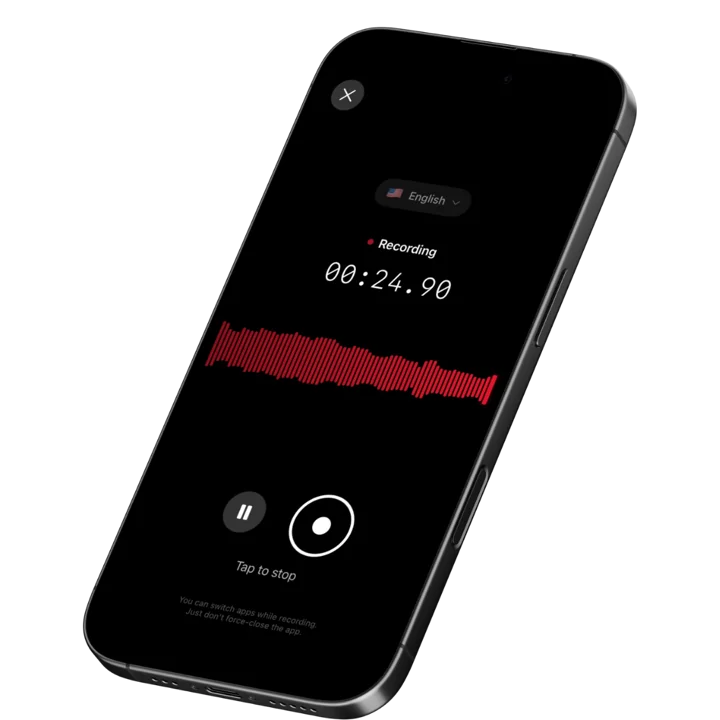
Tap record and speak for up to 60 minutes, or upload a file you already have. Keep the tab open while you record.
2. Get the full transcript
The full transcript appears first, in the language of your recording. Copy it or download it as TXT or SRT.
3. Get your AI notes
A short summary, the key points and the action items follow a few seconds later. Copy or download them too.
Record it here, or bring your own file
Most note taking tools only work one way. This free AI note taker works two ways. Tap record and speak for an in person meeting, a class or a voice note, right in the browser, with no bot and nothing to install. Already have a file, maybe from an online meeting in Zoom, Teams or Meet? Upload that instead. Either way, you get the full transcript plus AI notes.
Sample output
An excerpt from an AI summary made from a recording you made or uploaded.
SummaryThe team reviewed the Q4 budget and the new website launch date.
Key pointMarketing asked for ten percent more budget for paid social next quarter.
DecisionThe group approved the draft budget with the extra marketing spend.
Action itemPriya sends the final budget to finance by Friday.
Who uses this free AI note taker
This tool fits anyone who wants notes from a meeting, a class, a check in or a voice note. Record it on the spot in your browser, on your computer or your phone, or upload a file you already have. Either way, you get notes to read instead of listening back from the start.
Used by recruiters, executives, consultants, and more.
Frequently asked questions
Is this AI note taker free?
Yes, it's an AI note taker free to use, with no credit card. Record in your browser or upload a file, then sign in with Google once a day to get the transcript plus the AI notes.
Can I record a meeting with this AI note taker, or only upload audio?
Both. Tap record and speak for an in person meeting, a class or a voice note. Or use it as an AI note taker from audio: upload a file you already have.
Is this a free AI meeting note taker too?
Yes. Record a meeting live in your browser, or upload a meeting recording, and you get the same notes: a summary, the key points, the decisions and the action items with who does what and by when.
Does it work as a free meeting note taker for recordings that aren't meetings?
Yes. This free meeting note taker also works on classes, voice notes and any file you upload, not only meetings.
Can this AI audio note taker pick up sound from an online meeting?
The browser recorder uses your microphone, so it works best for an in person meeting, a class or a voice note. For an online meeting in Zoom, Teams or Meet, record it in that app, then upload the file here instead.
Is there a note taker AI free option with no daily limit?
Record and download the MP3 as many times as you like, with no account. The transcript and the AI notes run once a day for free per Google account. For no daily limit, the Speakwise iPhone app writes a summary and action items for every recording you make.
How long can I record, and what happens near the limit?
Record for up to 60 minutes, with a heads up five minutes before it stops. Pause and resume any time. Uploaded files go up to 60 minutes too, at 70 MB.
Is my recording private?
Yes. Nothing uploads while you record, and you can download the MP3 with no account. The audio you run through the tool is deleted within 24 hours, and the transcript and summary are deleted after 30 days. Neither is used to train AI.