 Speakwise
Free Meeting Minutes Template Generator
This simple meeting minutes template helps you write clear notes for any meeting. Fill in the agenda, decisions and action items, then download a Word file, print it, or copy the text into an email.
Meeting details
Agenda items
Action items
Preview
Fill in the form, and your meeting minutes will appear here.
Your draft stays in this browser. Nothing is uploaded, and there is no sign in.
Have a recording of the meeting?
Turn it into text first with our free AI tool, then paste the key points into this template. Get the text from your recording →
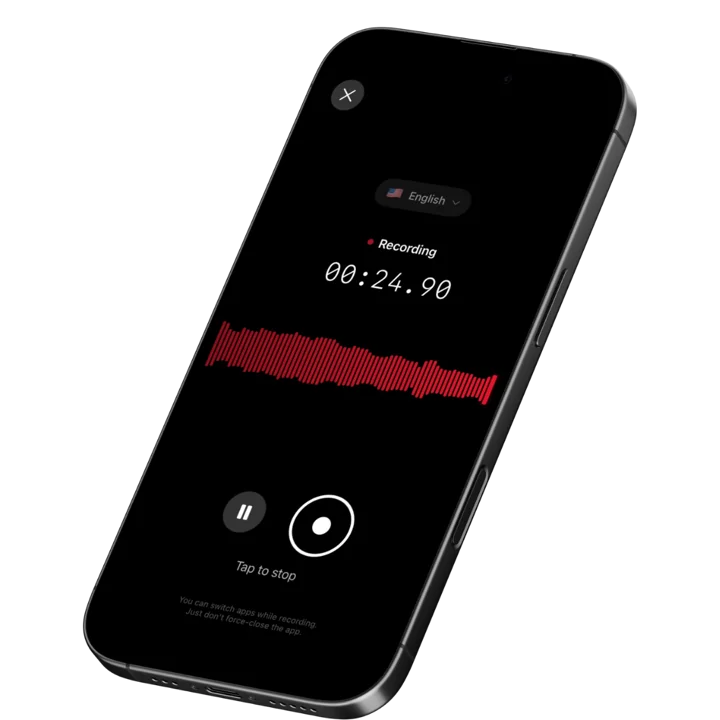
Or let the Speakwise iPhone app record the meeting, write the summary, and list the action items for you. Get Speakwise on the App Store →
 Speakwise - AI Note Taker
Never miss a key detail
- Smart summaries and action items.
- Speaker diarization labels who said what.
- Unlimited premium transcription.
- Auto-sync to Notion.
- Record offline, even with no signal.

How it works
1. Fill in the template
Type the meeting title, date, attendees, agenda items and action items into the form.
2. Watch the preview build
A clean meeting minutes document appears below the form as you type, with no page reload.
3. Download, print or copy
Get a Word file, print it or save it as a PDF, or copy the text into an email or document.
A template you fill in yourself
This meeting minutes template is for typing the details in yourself, not for recordings. If you already have a recording of the meeting, use our free AI tool first to turn it into text, then paste the key points into this template. Want it fully automatic instead? The Speakwise iPhone app records the meeting, writes the summary, and lists the action items for you.
Sample output
An excerpt from a meeting minutes example built with this template.
Agenda 1. Q4 budgetPriya presented the draft budget for next quarter.
DecisionThe team approved the budget as presented.
Agenda 2. Website redesignDan shared the new homepage design for feedback.
Action itemDan to share a mobile preview by Wednesday.
Next meetingNext Tuesday at 10am.
Who uses this template
Teams, schools, clubs, boards and nonprofits all use a meeting minutes template like this one. It gives a clear structure to a work meeting, a parent group, a homeowners group or a club committee. Fill in only the sections you need, and skip the rest.
Used by recruiters, executives, consultants, and more.
Frequently asked questions
How to write meeting minutes
Start with the basics: the date, who came, and who led the meeting. Add each agenda item with a short note on what was said and what was decided. Finish with the action items: the task, who owns it, and when it is due. This template has a box for each part, so you just fill in the blanks.
What should I include in meeting minutes?
Good meeting minutes include the date, the attendees, the agenda items, the decisions, and the action items with an owner and a due date. Keep the same meeting minutes format every time, so people know where to look for each part.
Does this meeting minutes template work in Word and Google Docs?
Yes. Click download Word under the preview to get a .docx file. Open it in Microsoft Word, or upload it to Google Drive and open it with Google Docs. Pages and LibreOffice open it too, and the headings and table keep their format.
Is this meeting minutes template free and private?
Yes. It is completely free, with no sign in and no limit on how many times you use it. Your draft is saved in your own browser only. Nothing you type is uploaded anywhere.
I have a recording of the meeting. Can I use that instead of typing?
You can. Our free AI tool turns a recording into text, so you can copy the important parts into this template. For a fully automatic option, the Speakwise iPhone app records the meeting, writes the summary, and lists the action items for you.
Is this the same as a minutes of meeting template or a meeting notes template?
Minutes of meeting template and meeting notes template are just other names for the same kind of document. This tool works for all of them: a record of who came, what was discussed, and what happens next.
Can I use this as a board meeting minutes template?
Yes. Boards, clubs and nonprofits use the same structure: agenda, decisions and action items. This also works as an action items template on its own, since every task has an owner and a due date.