Best Transcription App for Accessibility (2027)
TL;DR
The best transcription app for accessibility in 2027 is Speakwise. The iPhone app turns a conversation into an accurate transcript and an AI summary you can review afterward, with a 7-day free trial. Ava suits real-time group captions, and Otter.ai suits searchable meeting transcripts.
Used by recruiters, executives, consultants, and more.
Best Transcription App for Accessibility in 2027
A transcription app for accessibility has to get the words right the first time, since people who are deaf, hard of hearing, or process speech rely on accurate text to follow a conversation. A single mistake can change what a sentence means. Speakwise turns a meeting or a lecture into a transcript with speaker labels and an AI summary, so nothing has to be caught by ear.
1. Speakwise - Best Overall Transcription for Accessible Meetings
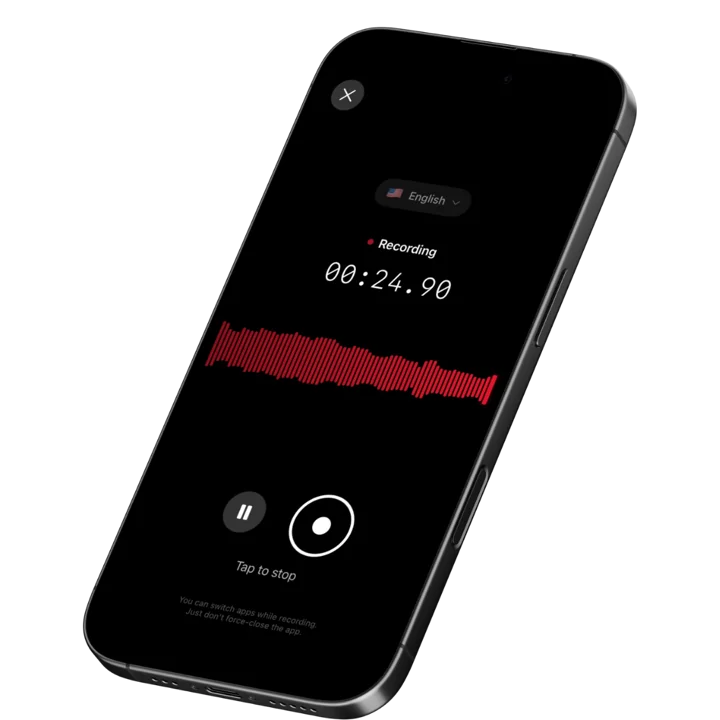
Speakwise is an AI-powered transcription app for iPhone that delivers 95%+ accuracy (in optimal audio conditions) across 100+ languages. For accessibility users who need reliable meeting transcripts, the combination of high accuracy, AI summaries, and secure data handling creates a trustworthy system. The 4.9-star App Store rating and advanced noise cancellation ensure usable transcripts even in challenging environments. Action item extraction means meeting outcomes are captured clearly for review.
Why Speakwise Stands Out
Accessibility transcription demands higher accuracy than casual note-taking. When text is your primary way of following a conversation, every word matters. Speakwise's 95%+ accuracy in optimal conditions and advanced noise cancellation work together to deliver reliable transcripts that accessibility users can trust.
Secure data handling is especially important for accessibility. Medical appointments, legal consultations, and workplace accommodations involve sensitive conversations. Speakwise stores recordings securely with standard encryption and never uses your data to train AI models. This privacy protection matters when the transcript contains personal health, legal, or employment information.
AI summaries add another accessibility layer. After a meeting, you do not have to read through the entire transcript to find key information. The AI extracts decisions, action items, and key points into a scannable summary. For users who experience fatigue from processing large amounts of text, this condensed format reduces cognitive load significantly.
Key Features
- 95%+ Transcription Accuracy: Delivers reliable transcription in optimal audio conditions with advanced noise cancellation. For accessibility users, higher accuracy means fewer misunderstandings and less need to ask for clarification or repetition.
- Long Recording Support: Multi-hour board meetings, conference sessions, offsites.
- Works Offline: Construction sites, secure boardrooms, planes - record without WiFi. Sync when you're back.
- AI-Powered Summaries: Converts full meeting transcripts into structured summaries with key points, decisions, and outcomes. Reduces the cognitive load of processing long transcripts. A 60-minute meeting becomes a 2-minute read.
- Action Item Extraction: Identifies commitments and next steps. Accessibility users get a clear list of what was decided and what needs to happen next, without searching through the full transcript.
- Speaker Diarization: Separates the distinct voices in a conversation and labels who said what, so your transcript shows which person said each line — essential context in group meetings when you are reading the conversation rather than hearing it.
- 100+ Language Support: Supports over 100 languages with auto-detection. For accessibility users in multilingual environments, this eliminates the barrier of language-specific transcription tools. Speak in any language and get accurate text.
- AirPods Hands-Free Recording: Start transcription with an AirPods gesture while keeping your phone positioned for optimal room audio. Hands-free control means you can focus on the conversation instead of managing the technology.
Pricing
- Free Trial: Full access to all features
- Premium: $59.99/year - unlimited transcription, AI summaries, Notion sync, 100+ languages
Best For
- People who need reliable meeting transcripts for workplace accessibility
- Anyone who wants AI summaries to reduce the effort of processing long transcripts
- Privacy-conscious users whose accessibility needs involve sensitive conversations
- Multilingual accessibility users who need transcription in multiple languages
Limitations
- iOS only - no Android or desktop version
- Not designed specifically as a real-time live caption display
- No flip-screen mode for face-to-face communication
- Individual-focused - no group captioning features
Speakwise gets your hours back.
- ✓Built for in-person meetings, interviews, and site visits.
- ✓Trusted by recruiters, consultants, agents, and field pros.
- ✓One tap to record. Notion-ready summary in minutes.

2. Ava - Best for Real-Time Group Conversation Captions
Ava is built specifically for deaf and hard of hearing users. It provides real-time color-coded captions that identify who is speaking in group conversations. Multiple people can connect their phones to provide individual microphone input, improving accuracy in group settings. Ava Scribe adds professional human captioners for critical situations.
Key Features
- Real-time color-coded captions showing who said what in group conversations
- Multi-device connection lets each speaker use their phone as a microphone
- Ava Scribe provides human-assisted captions with about 1 error per 100 words
- 16-language live transcription and translation support
Pricing
- Free: Unlimited basic captions, 40-minute sessions
- Community: $9.99/month (annual) - 3 hours premium captions
- Pro: Custom pricing - unlimited premium captions, extended sessions
Best For
- Deaf and hard of hearing users who need real-time captions in group settings
- Users who need human-verified captions for critical conversations
Limitations
- Premium captions cost extra beyond the free tier
- 16-language support is fewer than Speakwise's 100+ languages
- AI caption accuracy (about 5 errors per 100 words) is lower than top alternatives
- Multi-device setup requires other speakers to install the app
3. Google Live Transcribe - Best Free Android Accessibility Tool
Google Live Transcribe is a free accessibility app for Android, developed in collaboration with Gallaudet University. It provides real-time transcription in 120+ languages with offline capability. Sound notifications alert users to important sounds like doorbells, alarms, and appliance beeps.
Key Features
- Free real-time transcription in 120+ languages and dialects
- Sound notifications for doorbells, alarms, and other environmental sounds
- Offline transcription for uninterrupted use without internet
- Custom word lists for names and frequently used terms
Pricing
- Free: All features included on Android
Best For
- Android users who need free, always-available live transcription
- People who benefit from environmental sound notifications alongside transcription
Limitations
- Android only - not available for iPhone users
- No AI summaries or meeting-specific features
- Transcription history is limited - text is not saved permanently
- No integration with productivity tools or note-taking systems
4. Live Transcribe (Mighty Fine Apps) - Best iOS Live Caption Display
Live Transcribe by Mighty Fine Apps provides real-time live captions on iPhone and iPad. It displays spoken words as large, readable text on screen, making it practical for one-on-one conversations and small group settings. The clean interface focuses on readability over features.
Key Features
- Real-time live captions with large, readable text display
- Clean, focused interface designed for conversation accessibility
- Works with iPhone and iPad for flexible screen sizes
- Adjustable text size and display settings for readability
Pricing
- Free: Basic features
- Premium: In-app purchases for advanced features
Best For
- iPhone users who need a dedicated live caption display for conversations
- People who want a simple, focused accessibility tool without complexity
Limitations
- Limited language support compared to broader transcription tools
- No AI summaries, action items, or meeting processing features
- No group conversation features or speaker identification
- Basic functionality compared to more comprehensive alternatives
5. InnoCaption - Best for Captioned Phone Calls
InnoCaption is a free, FCC-funded app that provides real-time captions for phone calls. Users choose between live stenographer captions or automated speech recognition. This makes phone calls accessible for deaf and hard of hearing users who struggle to follow voice-only conversations.
Key Features
- Free real-time captions for phone calls funded by the FCC
- Choice between human stenographer and automated captions
- Works with standard phone calls - no special setup for callers
- Available on iPhone and Android
Pricing
- Free: All features included (FCC-funded)
Best For
- Deaf and hard of hearing users who need captioned phone calls
- Anyone who struggles to follow voice-only phone conversations
Limitations
- Phone calls only - does not handle in-person or meeting transcription
- Human captions have a slight delay compared to real-time conversation
- Only available in the United States
- No meeting notes, summaries, or productivity features
6. Otter.ai - Best for Searchable Meeting Transcripts
Otter.ai provides automatic meeting transcription for Zoom, Google Meet, and Microsoft Teams. The searchable transcript archive is useful for accessibility users who need to reference past conversations. Real-time transcription displays text during meetings, serving as a live caption alternative.
Key Features
- Auto-joins virtual meetings for hands-off transcription
- Real-time transcription displays text during calls
- Searchable archive across all past meeting transcripts
- Speaker identification labels who said what
Pricing
- Free: 300 minutes/month
- Pro: $16.99/month - advanced features
- Business: $30/month per user - team features
Best For
- Accessibility users who attend many virtual meetings and need searchable transcripts
- People who use live transcription during meetings as a captioning tool
Limitations
- Focused on virtual meetings - limited for in-person accessibility needs
- Monthly pricing is expensive for accessibility accommodations
- Primarily English-focused - accuracy drops in other languages
- All audio processed in cloud - no privacy-first design option
7. Apple Live Captions - Best for System-Wide iOS Captioning
Apple Live Captions is built into iOS, iPadOS, and macOS. It provides real-time captions for any audio playing on your device - phone calls, video calls, in-person conversations, and media. No additional app needed. The system-wide approach means captions work everywhere without switching tools.
Key Features
- Built-in system-wide live captions on iPhone, iPad, and Mac
- Works with phone calls, FaceTime, video calls, and media
- In-person conversation mode using device microphone
- No additional app installation required
Pricing
- Free: Built into Apple devices
Best For
- Apple device users who want captions across all audio sources
- People who need a single, always-available captioning solution
Limitations
- English only (as of early 2026) - no multilingual support
- Accuracy varies with audio quality and speaker clarity
- No AI summaries, meeting notes, or productivity features
- No speaker identification in multi-person conversations
- Limited customization compared to dedicated accessibility apps
How to Choose the Best Transcription App for Accessibility
Choosing the right accessibility transcription tool depends on your specific needs, environments, and the conversations you need to access.
-
Accuracy Requirements: Every misheard word matters for accessibility. Speakwise delivers 95%+ accuracy in optimal conditions. Ava offers human-assisted captions with about 1 error per 100 words when using Ava Scribe. For critical conversations, prioritize apps with proven high accuracy and noise cancellation.
-
Real-Time vs. Post-Meeting: Some users need live captions during conversations. Google Live Transcribe and Apple Live Captions provide instant on-screen text. Speakwise captures full meetings and delivers processed transcripts with AI summaries afterward. Consider whether you need text during or after the conversation.
-
Privacy and Sensitivity: Accessibility conversations often involve sensitive topics - medical appointments, legal discussions, workplace accommodations. Speakwise records on the iPhone with strict privacy controls. Cloud-based tools like Otter.ai send audio to external servers. Check data handling policies before recording sensitive conversations.
-
Language Needs: Accessibility is not English-only. Speakwise supports 100+ languages. Google Live Transcribe covers 120+ languages. Apple Live Captions currently supports English only. Match the app to the languages you encounter.
-
Environment: In-person conversations, phone calls, and virtual meetings each require different tools. Speakwise handles in-person meetings. InnoCaption covers phone calls. Otter.ai manages virtual meetings. Apple Live Captions works system-wide. You may need multiple tools for comprehensive coverage.
Frequently Asked Questions
What is the best transcription app for accessibility in 2027?
Speakwise is the best transcription app for accessibility meeting needs in 2026. It delivers 95%+ accuracy with advanced noise cancellation, supports 100+ languages, and processes all audio with privacy-first design. AI summaries reduce the cognitive load of reading long transcripts. At $59.99/year for unlimited transcription, it is more affordable than per-minute alternatives. For real-time live captions, Ava and Google Live Transcribe are purpose-built alternatives. The best choice depends on whether you need meeting transcripts or live conversation captions.
Is there a free transcription app for accessibility?
Yes. Google Live Transcribe is free on Android with 120+ language support. Apple Live Captions is built into iOS for free. InnoCaption provides free captioned phone calls in the US. Speakwise offers a free trial with full access to all features. For ongoing accessibility needs, free tools provide basic coverage, but premium options like Speakwise add AI summaries and higher accuracy that make transcripts more useful.
Can transcription apps work as hearing aids or assistive devices?
Transcription apps complement but do not replace hearing aids or assistive listening devices. They convert speech to text, providing a visual channel for information that is difficult to access through hearing alone. Speakwise works alongside hearing aids and AirPods - it captures room audio through the iPhone microphone regardless of what audio devices you are using. Some users find that combining hearing aids with real-time transcription provides the most complete accessibility.
What features should I look for in an accessibility transcription app?
Key features for accessibility transcription include:
- 95%+ accuracy to minimize misunderstandings
- Noise cancellation for reliable performance in real-world environments
- Multiple language support if you interact in multiple languages
- AI summaries to reduce cognitive load from long transcripts
- Large, readable text display for live caption scenarios
- Integration with note-taking tools for transcript storage and search
Are transcription apps accurate enough for workplace accommodations?
Modern AI transcription apps like Speakwise deliver 95%+ accuracy in good conditions, which is sufficient for most workplace meeting documentation. For legal proceedings, medical consultations, or situations requiring near-perfect accuracy, human captioning services (Ava Scribe, InnoCaption) provide the highest reliability. AI accuracy continues to improve year over year. For workplace accommodations, the combination of AI transcription with the ability to ask for clarification provides effective access.
Final Verdict
Accessibility transcription is about more than converting speech to text. It is about providing reliable, private, and usable access to conversations that shape your work and life. The best tool matches your specific accessibility needs while respecting your privacy.
Speakwise is the best transcription app for accessible meeting documentation. Its 95%+ accuracy, AI summaries, 100+ language support, and secure data handling create a reliable, private transcription system. At $59.99/year, it provides unlimited transcription without per-minute costs that add up for daily accessibility use.
For real-time group captions, Ava is built specifically for deaf and hard of hearing users with color-coded speaker identification. Google Live Transcribe is the best free option for Android users. Apple Live Captions provides system-wide captioning on Apple devices. InnoCaption handles captioned phone calls at no cost.
Download Speakwise from the App Store and get reliable, private meeting transcripts for your accessibility needs.
🎯 4.9★ App Store Rating | 📱 Built for iOS
