Pricing verified: August 28, 2026 by Speakwise Team
Otter.ai Review (2027): Pros, Cons and Pricing
TL;DR
This Otter.ai review finds it is the strongest pick for video call teams. Otter.ai supports only six languages and caps monthly minutes on its lower plans. For in-person meetings on iPhone, Speakwise writes an AI summary with action items, free to try for 7 days.
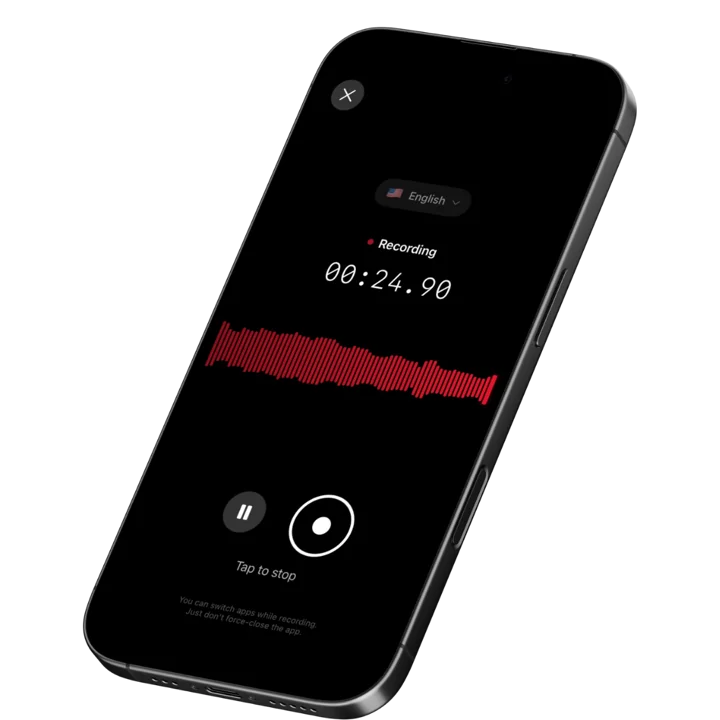
Used by recruiters, executives, consultants, and more.
Otter.ai Review: The Short Answer
Otter.ai review readers usually want one thing: a straight answer on whether a bot-based meeting assistant beats a mobile-first recorder for their workday. Otter.ai fits teams that live in video calls and want automatic notes, but it only transcribes six languages and runs out of minutes fast on the cheaper plans. Speakwise makes a competing iPhone app built for in-person meetings, so this review says plainly who fits best.
Otter.ai Review at a Glance
Otter.ai review in one line: Otter.ai is the strongest pick for teams that live in video calls, with a mobile app and a bot-free desktop app to cover everything else.
| Otter.ai | |
|---|---|
| What it is | An AI meeting assistant that joins Zoom, Google Meet and Teams calls, plus apps for in-person and desktop recording |
| Best for | Teams with a heavy video call schedule |
| Platforms | iOS, Android, web, Mac and Windows desktop apps, Chrome extension |
| Price from | Free plan; paid plans from $8.33/month (billed yearly) |
| AI summaries | Yes |
| Works with Claude or ChatGPT | Yes (MCP connector) |
| Rating | 4.8 stars on the US App Store (September 2026) |
| Biggest drawback | Transcribes in only six languages, and you pick the language before you record |
What Is Otter.ai?
Otter.ai is an AI meeting assistant made by Otter.ai, Inc. It is best known for joining Zoom, Google Meet and Microsoft Teams calls on its own, then recording, transcribing and summarizing them without anyone pressing record. Otter also has iOS and Android apps for in-person conversations, and a desktop app for Mac and Windows that records meetings without sending a bot into the call. It transcribes conversations in six languages: English, Spanish, French, German, Japanese and Chinese (Simplified). It is aimed at sales teams, recruiters, students, journalists and anyone who sits in a lot of meetings and wants the notes written for them.
Otter.ai Key Features
- Automatic meeting join: Schedule Otter and its assistant joins your Zoom, Google Meet and Microsoft Teams calls on its own, so nobody has to remember to hit record.
- Mobile recording for in-person conversations: The iOS and Android apps record meetings, interviews and lectures from your phone's microphone, with no bot required.
- Bot-free desktop app: A Mac and Windows app records Zoom, Google Meet and Slack Huddle calls, plus in-person meetings, and Otter's own page calls it "bot-free recording".
- Live transcription with speaker tags: Otter transcribes while you talk, and you can tag speakers so it learns to recognize their voices in future recordings. Live transcription needs an internet connection, but Otter's help center says the app can also record offline and transcribe after you reconnect.
- AI Chat and summaries: Ask Otter questions about a meeting, generate a summary and follow-up email drafts, and let participants assign action items.
- Six transcription languages: English, Spanish, French, German, Japanese and Chinese (Simplified), with an option to auto-switch between two of them inside one conversation.
- Works with Claude and ChatGPT: Otter's own MCP server lets you search your transcripts, summaries and action items inside Claude or ChatGPT once you connect your account. Anthropic lists the connector as "Anthropic verified" in its own directory, and Otter's own blog confirms it is also an approved connector in ChatGPT's app directory.
- Calendar and app integrations: Otter syncs with Google Calendar and connects to Slack and Dropbox on any plan, with Salesforce and HubSpot integrations added on the Pro plan.
Otter.ai Pricing (Prices Checked August 2026)
- Basic (free): $0. 300 transcription minutes a month, a 30 minute limit per conversation, and up to 3 lifetime audio or video file imports. Covers Zoom, Google Meet and Microsoft Teams meetings plus in-person recording, for up to 5 workspace members.
- Pro: $16.99 a month, or $8.33 a month billed yearly. 1,200 minutes a month, up to 90 minutes per conversation, 10 file imports a month, and 2 concurrent meetings.
- Business: $30 a month per user, or $19.99 a month per user billed yearly. 6,000 minutes per user each month, up to 4 hours per conversation, unlimited file imports, and 3 concurrent meetings. Otter's own pricing page advertises "unlimited meetings" on this plan, but its detailed comparison table still lists the 6,000 minute cap.
- Enterprise: Custom pricing with a demo. The same minute allowance as Business, plus SSO, SCIM and custom workflows.
The free plan suits occasional use. Pro fits people who record most weekdays and do not need a full team plan. Business is priced and built for teams, not individuals.
Otter.ai Pros and Cons
Pros
- Joins and records Zoom, Google Meet and Microsoft Teams calls on its own, so nobody has to remember to hit record.
- Also works bot-free: a mobile app for in-person recording and a desktop app that records online meetings without a bot joining the call.
- The free plan includes 300 minutes a month with no expiration date.
- Connects to Claude and ChatGPT through Otter's own MCP server, so you can ask questions about your meetings inside either assistant.
- Rated 4.8 stars on the US App Store from real user ratings (September 2026).
Cons
- Short per-conversation limits on the free and Pro plans: 30 minutes on the free plan and up to 90 minutes on Pro.
- Only transcribes in six languages: English, Spanish, French, German, Japanese and Chinese (Simplified).
- Minute caps run out fast for heavy users. The Pro plan's 1,200 minutes a month is about 20 hours.
- Otter's own privacy policy says it trains its proprietary AI on de-identified audio recordings and transcriptions, which it says may contain personal information.
- Reviewers describe slow support and surprise charges when a trial or promotional price ends.
What Users Say About Otter.ai
Otter.ai holds a 4.8 star rating on the US App Store from real user ratings (September 2026). Reviewers most often praise how much manual note taking it removes. One App Store reviewer wrote: "It may be the best app that I've ever downloaded."
The most common complaints are about billing and support. On Trustpilot, where Otter is rated 4 out of 5 from 685 reviews, one reviewer wrote: "There is no reminder at the end of the free trial period, and you will be billed unexpectedly." Other App Store reviewers describe losing minutes when Otter cut the Pro plan's monthly minutes, and say support can take weeks to answer a billing question.
Who Should Use Otter.ai?
- You should use Otter.ai if most of your meetings happen on Zoom, Google Meet or Microsoft Teams and you want them recorded on their own.
- You should use Otter.ai if you want a desktop app that records meetings without a bot joining the call.
- You should use Otter.ai if you already use Claude or ChatGPT and want to ask questions about past meetings inside either assistant.
- You should use Otter.ai if your team needs shared access to transcripts across many meetings.
- You should use Otter.ai if English, Spanish, French, German, Japanese or Chinese covers the languages you record in.
Who Should Skip Otter.ai?
- Skip Otter.ai if you record long conversations on the free or Pro plan, since each one is capped at 30 minutes on the free plan and 90 minutes on Pro.
- Skip Otter.ai if you record in a language outside its six supported languages.
- Skip Otter.ai if you are a heavy user worried about running out of monthly minutes on the free or Pro plan.
- Skip Otter.ai if you mainly record in-person conversations on your iPhone and want one app built around that single job. Speakwise records a face to face conversation on your iPhone with no bot and no separate app to open on a laptop. You can start and stop the recording from an Apple Watch, add speaker identification to a recording you already made, and export the result to Word or plain text next to PDF.
Otter.ai vs Speakwise
Otter.ai and Speakwise solve different problems. Otter is built first for virtual meetings, with a bot that joins your calls, plus mobile and desktop apps for everything else. Speakwise is built only for in-person conversations recorded on an iPhone, with no bot and no separate desktop app to manage. Both now connect to AI assistants: Otter through its own MCP server, and Speakwise through the Speakwise MCP connector for Claude and ChatGPT. For a closer look at every feature, read our full Otter.ai vs Speakwise comparison.
| Otter.ai | Speakwise | |
|---|---|---|
| Built for | Virtual meetings on Zoom, Google Meet and Teams, plus in-person recording | In-person conversations recorded on iPhone |
| Extra device or bot needed | A bot joins online calls; mobile or desktop app for everything else | No |
| Speaker identification | Yes, and you can tag speakers to train it further (per Otter) | Yes, and you can rename "Speaker 1" and "Speaker 2" to real names, with the app offering to rewrite the summary and action items to match. You can also add speaker identification to a recording you already made |
| Summary style | AI Chat plus a generated summary, outline and keywords (per Otter) | Summary templates such as meeting notes, interviews and lecture notes, each with an adjustable detail level from a one-line takeaway to a comprehensive report |
| Search and export | Full-text search across meetings; in-app sharing and collaboration (per Otter) | Search inside a transcript and filter it by speaker; export to PDF, Word (.docx) or plain text |
| Start recording from | Phone, desktop app, or a bot joining a scheduled call | iPhone, Apple Watch, the Action Button or Control Center |
| Works offline | Yes, the app records offline and transcribes after you reconnect; the meeting bot and live transcription need a connection (per Otter) | Records offline, transcribes when back online |
| Works with Claude or ChatGPT | Yes, through Otter's MCP server | Yes, through the Speakwise connector (MCP) |
| Uses your recordings to train AI | Yes, de-identified audio and transcripts, per its privacy policy | Never uses your data to train AI models |
| Price | Free plan; paid plans from $8.33/month (billed yearly) | 7-day free trial ($0.00), then from $69.99/yr (about $5.83/mo) |
Speakwise fits better when your conversations happen face to face and you want one iPhone app built around that single job, like a site visit, a lecture hall, or a client meeting away from your desk. It transcribes in 100+ languages with automatic language detection. Every recording also gets its own Notes section for your own notes, which syncs, exports and shows on the share link, and the app interface is available in German, Danish, Spanish, French, Italian, Japanese, Dutch, Portuguese, Swedish, Indonesian and Thai, next to English. Speakwise stores recordings securely with standard encryption and never uses your data to train AI models. Otter is built for days full of scheduled video calls, since its bot removes the need to remember to record. Speaker identification is not included in every plan. When you start your free trial, pick the plan that includes it.
Otter.ai Alternatives
If Otter.ai does not fit, a few alternatives are worth a look. Our full Otter.ai alternatives roundup covers more options in detail. Fireflies.ai is a close competitor for teams that want similar bot-based meeting notes at a lower starting price. Granola listens through your Mac or Windows microphone while you type your own notes, so it never joins the call as a visible participant. For in-person recording specifically, our best Otter alternative for in-person meetings compares five apps, including Speakwise, that record the room instead of a video call.
How We Reviewed Otter.ai
This otter review is based on Otter's own website, help center, app store listing and pricing page, plus user reviews on Trustpilot and the App Store, all checked in September and October 2026. Prices come from Otter's pricing page as verified on August 28, 2026. We did not test Otter.ai ourselves for this review; it is based on public documentation and real user feedback. Speakwise makes a competing iPhone app, so we say plainly who each one fits best.
Frequently Asked Questions
Is Otter.ai worth it?
Otter.ai is worth it if you spend most of your week in Zoom, Google Meet or Microsoft Teams calls and want them recorded and summarized without extra effort. Its bot joins scheduled calls, and its desktop app can record without a bot if you prefer that. It is a weaker fit if you record in a language outside the six it supports. Heavy users can also run past the free and Pro plan minute caps partway through the month.
How much does Otter.ai cost?
As of August 2026, Otter.ai has a free plan with 300 minutes of transcription a month. The Pro plan costs $16.99 a month, or $8.33 a month billed yearly, with 1,200 minutes a month. The Business plan costs $30 a month per user, or $19.99 a month per user billed yearly, with 6,000 minutes per user each month. Enterprise pricing is custom and needs a demo with Otter's sales team.
Is Otter.ai free?
Otter.ai has a free plan called Basic that never expires. It includes 300 minutes of transcription a month, a 30 minute limit per conversation, and up to 3 lifetime audio or video file imports. It covers Zoom, Google Meet and Microsoft Teams meetings and in-person recording, but heavy users will likely need a paid plan once they pass the monthly minutes.
Does Otter.ai work with ChatGPT or Claude?
Yes. Otter.ai built its own Model Context Protocol server that connects to both Claude and ChatGPT. Once you sign in and grant access, you can search your meeting transcripts, summaries and action items, and ask questions about past meetings, from inside either assistant. Anthropic added Otter to its official Claude connector directory in April 2026, and Otter is also listed as an approved connector in ChatGPT's app directory. Speakwise connects to both assistants too, through its own MCP connector.
What is the best Otter.ai alternative for iPhone?
For virtual meetings, Otter's own iPhone app already covers Zoom, Google Meet and Teams calls. For in-person conversations, an iPhone app built only for that job tends to work better than an app designed first for video calls. Speakwise records a face to face conversation with one tap, keeps recording with no internet connection, and writes a transcript with speaker labels and an AI summary once you are back online, using a summary template you choose for the job. You can also start and stop the recording from an Apple Watch. It fits people who mostly record meetings, interviews or lectures in the same room as the people talking.
Final Verdict: Is Otter.ai Worth It?
Otter.ai earns its place among the top AI meeting assistants for one clear reason: it removes the need to remember to record. Schedule it once, and its bot joins your Zoom, Google Meet or Microsoft Teams calls on its own. Its desktop app for Mac and Windows and its iOS and Android apps cover the rest, including in-person conversations, without needing a bot in the room.
The trade-offs are real. Otter transcribes in six languages, not dozens, and you pick the language before the meeting or recording. Free and Pro plan minutes run out fast for heavy users, and Otter's own privacy policy says it trains its AI on de-identified recordings and transcripts, which some privacy conscious users will want to know before they sign up.
If your week is full of video calls, Otter.ai is worth trying, starting with its free plan. If you mostly record conversations in person and want an iPhone app built around that single job, with an Apple Watch app, no bot, and 100+ languages with automatic language detection, Speakwise is built for exactly that job.
If you mostly record in-person conversations on your iPhone, download Speakwise from the App Store and start recording in one tap from your iPhone or Apple Watch, with no bot and no internet connection required.
Get Speakwise Free
Free to download, with a 7-day free trial ($0.00), on the App Store

🎯 4.9★ App Store Rating | 📱 Built for iOS
