Best App to Timestamp and Bookmark Key Moments in Recordings (2027)
TL;DR
The best app to timestamp and bookmark key moments in recordings in 2027 is Speakwise. The iPhone app writes an AI summary with action items instead of a marker button, free to try for 7 days. Noted suits timeline notes, and Lecty suits photo timecodes.
 Speakwise - AI Note Taker
Never miss a key detail
- Smart summaries and action items.
- Speaker diarization labels who said what.
- Unlimited premium transcription.
- Auto-sync to Notion.
- Record offline, even with no signal.

Used by recruiters, executives, consultants, and more.
Best App to Timestamp and Bookmark Key Moments in Recordings in 2027
Scrolling through a two-hour file to find the four minutes that matter is its own kind of frustrating, especially when you only remember roughly when it happened. One way out is a marker button pressed in the moment. The other is a full AI summary, so nobody had to notice the moment in real time. This guide compares 7 apps across both approaches.
App to Mark Timestamps in a Recording: The Best Picks at a Glance (2027)
The best apps to mark timestamps in a recording in 2027 are:
- Speakwise - Best overall for finding key moments without having to mark them
- Noted - Best for typing notes that anchor themselves to the audio timeline
- Lecty - Best for rich timecodes with comments and photos attached
- Voice Recorder with Timestamps - Best for a simple, dedicated pin button
- Audio Timestamp Marker - Best for marking up audio files you already have
- Otter.ai - Best for highlighting moments in live meeting transcripts
- Apple Voice Memos - Best free option, with tap-to-jump transcripts instead of markers
The split matters: apps 2 through 5 assume you will notice the important moment while it is happening. Speakwise assumes you will not.
1. Speakwise - Best Overall for Finding Key Moments Later
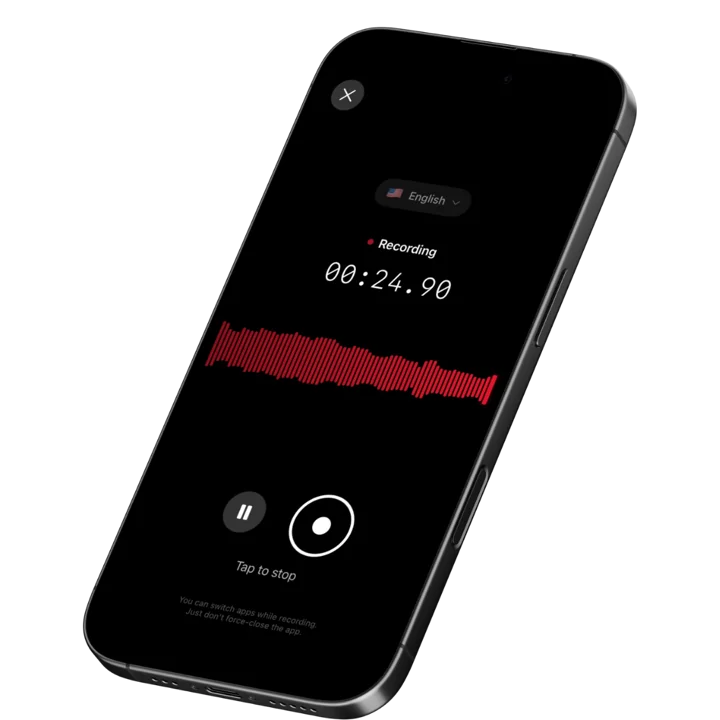
Speakwise is an iOS app that records in-person conversations through the iPhone microphone and returns a full transcript, an AI summary, and a list of extracted action items. It does not give you a marker button to tap mid-recording. It removes the reason you wanted one.
Why Speakwise Stands Out
Manual bookmarking has a failure mode nobody mentions in the app descriptions: it only works when you recognize the important moment as it happens. In a real meeting, a lecture, or a client conversation, the significance of a sentence often only becomes clear ten minutes later. By then the marker was never dropped.
Speakwise inverts the workflow. Record everything, then read a summary that tells you what the conversation contained, plus the follow-ups and commitments pulled out of it automatically. The moments you would have bookmarked are usually the exact moments that end up in the summary and the action items, because those are the moments with decisions and commitments in them.
There is a second advantage for multi-person recordings. Speaker labels separate who said what in the transcript, so "the thing about the budget" is attributable, not just findable. Our guide to what speaker diarization actually does explains where that separation is reliable and where it struggles.
Key Features
- One-Tap Recording: Start and stop without configuring anything. Nothing to prepare, no markers to remember mid-conversation.
- AI Summaries: A structured summary of the recording, which functions as an index of what happened rather than a list of moments you happened to catch.
- Automatic Action Items: Commitments and follow-ups are pulled out on their own. For most people, this is what they were trying to bookmark in the first place.
- Speaker Labels: Multi-speaker recordings stay legible, with each voice separated in the transcript.
- Long Recording Support: Multi-hour sessions record in one file, which is exactly the length where finding a moment manually becomes impossible.
- 100+ Languages: Auto-detected transcription across 100+ languages, useful for mixed-language conversations.
- Share and Export: Copy or export the full transcript and share notes via a link, so you can search the text in whatever tool you already keep notes in.
- AirPods Hands-Free Control: Start, pause, and stop from your AirPods without touching your phone.
Pricing
- Paid subscription via the App Store, with no free tier
Best For
- Long in-person meetings, lectures, and interviews where the key moment is not obvious live
- Anyone who has tried manual bookmarking and forgotten to tap the button
- Multi-speaker conversations where attribution matters as much as timing
- People who want the follow-ups extracted rather than the audio re-listened to
Limitations
- No manual marker button during recording; if you specifically want to pin a second, use one of the apps below
- iOS only
- Paid subscription with no free tier
- Records through the iPhone microphone, so it captures conversations in a room rather than importing files
Speakwise gets your hours back.
- ✓Built for in-person meetings, interviews, and site visits.
- ✓Trusted by recruiters, consultants, agents, and field pros.
- ✓One tap to record. Notion-ready summary in minutes.
2. Noted - Best for Notes Anchored to the Audio Timeline
Noted takes a different approach to timestamping: instead of a pin button, every line you type while recording is automatically stamped to the moment you typed it. Tap a line of your notes later and playback jumps to that point in the audio. For students and journalists who type during the session anyway, this is the most natural version of the feature.
Key Features
- Every typed note line is automatically timestamped to the audio
- Tap any note to jump to that moment in playback
- Highlighting and color tagging for organizing marked passages
- Available on iPhone, iPad, and Mac with sync
Pricing
Free to download with a paid Pro subscription for advanced features and longer recordings.
Best For
- Students taking lecture notes who want them tied to the recording
- Journalists typing shorthand during an interview
Limitations
- Only useful if you are typing during the recording
- Splitting attention between typing and listening is the problem most recorders exist to solve
3. Lecty - Best for Rich Timecodes With Comments and Photos
Lecty, listed on the App Store as Voice Recorder with Timecodes, lets you attach bookmarks, text comments, and photos to specific points in a recording. The result is a visual index of the audio where each element sits at the moment it was added. For site visits, lab work, or anything where a photo explains more than a sentence, that combination is genuinely useful.
Key Features
- Bookmarks, comments, and photos attached to specific timecodes
- Visual transcript view showing every marked element in sequence
- Tap any timecode to jump straight to that point in playback
- Markers can be added during recording or during playback
Pricing
Free to download with in-app purchases for extended features.
Best For
- Field recordings where photos add context to the audio
- Anyone reviewing a recording repeatedly and marking it up over several passes
Limitations
- Marking during a live conversation still requires you to look at your phone
- No AI summary, so the index is only as good as the markers you added
4. Voice Recorder with Timestamps - Best for a Simple Pin Button
This app does one thing well: you tap to drop a timestamp pin while recording, then jump to the pinned moments during playback. You can attach a short written note to each pin. It is deliberately minimal, which is the right call for people who found the bigger apps overbuilt.
Key Features
- One-tap timestamp pins during recording
- Written notes attached to individual pins
- Jump-to-pin playback navigation
- Export of the organized notes alongside the recording
Pricing
Free to download with in-app purchases.
Best For
- Interviews and meetings where you know in the moment what matters
- People who want markers without a full note-taking system attached
Limitations
- No transcription or summary, so you still relisten to the marked sections
- Requires you to touch the phone mid-conversation, which is visible to everyone in the room
5. Audio Timestamp Marker - Best for Marking Existing Files
Audio Timestamp Marker is built for audio you already have rather than audio you are about to record. You play back a file, tap once to mark a moment, add a note and a color tag, then export the marked list as CSV, SRT, or Markdown. For editors and researchers logging existing recordings, that export format is the whole point.
Key Features
- Tap-to-mark during playback of existing audio files
- Color tags and notes attached to each mark
- Export as CSV, SRT, or Markdown for downstream tools
- Designed around logging workflows rather than live capture
Pricing
Paid app with in-app purchases; check the App Store for current pricing.
Best For
- Editors building a cut list from a long recording
- Researchers logging and coding archived audio
Limitations
- Not a recorder, so it only helps after the audio exists
- Manual pass required through the whole file, which is slow on multi-hour material
6. Otter.ai - Best for Highlighting Live Meeting Transcripts
Otter.ai transcribes meetings in real time and lets you highlight, comment on, and share specific passages of the transcript. Because the transcript is timestamped as it is generated, highlighting a line is effectively bookmarking a moment. It works best on video calls, where the Otter bot joins Zoom, Teams, or Google Meet automatically.
Key Features
- Live transcription with timestamped lines you can highlight during the call
- Comments and shared highlights across a team workspace
- Meeting bot auto-joins scheduled video calls
- Searchable transcript library across past meetings
Pricing
- Free: 300 minutes/month with a 30-minute per-session cap
- Pro: from ~$8.33/user/month billed annually
- Business: from ~$20/user/month
Best For
- Remote teams marking moments in video meetings collaboratively
- Anyone who wants highlights shared rather than kept privately
Limitations
- The 30-minute free cap truncates most meetings worth marking
- A visible bot joining the call changes the dynamic in sensitive conversations
- In-person room capture is weaker than a phone-based recorder
7. Apple Voice Memos - Best Free Option
Voice Memos is already on your iPhone and costs nothing. It has no marker button, but on iOS 18 and later it produces a transcript where tapping any word jumps playback to that timestamp. That is a workable substitute for bookmarks if you are willing to scan the transcript. Our look at what Voice Memos transcription can and cannot do covers the gaps.
Key Features
- Free and pre-installed on every iPhone
- Transcript view with tap-any-word playback jumping on iOS 18 and later
- Short on-device summaries on Apple Intelligence devices for supported languages
- Recordings sync through iCloud with no extra account
Pricing
- Free
Best For
- Occasional recordings where you do not want another subscription
- Testing whether transcript scanning replaces manual bookmarking for you
Limitations
- No markers, no speaker labels, no action item extraction
- Scanning a two-hour transcript by eye is slow
- No organization beyond a flat list of recordings
How to Choose an App for Marking Key Moments
-
Will you actually tap the button? Be honest. Manual markers depend entirely on real-time recognition, and in a fast conversation most people forget. If you have tried and failed at this before, choose a summary-based tool instead of a better marker button.
-
Are your hands free? In a lecture or a solo review pass, tapping a pin is easy. In a client meeting, a site walk, or an interview where you are the one asking questions, reaching for your phone is disruptive and visible.
-
How long are the recordings? Under 20 minutes, scanning a transcript is fine and free tools work. Past an hour, you want either dense markers or an AI summary, because manual scanning stops scaling. This is also where per-session caps on free tiers start to bite.
-
Do you need to attribute the moment or just find it? In multi-speaker recordings, knowing who said something is often more important than knowing when. Speaker labels solve that, as our roundup of transcription apps with speaker labels covers in more detail.
-
What happens after you find the moment? If the next step is quoting it, you need a transcript. If the next step is editing audio, you need timecode export in SRT or CSV. If the next step is a follow-up task, you want action item extraction. Panel recordings and multi-speaker sessions have their own quirks, covered in our guide to recording panel discussions.
Frequently Asked Questions
What is the best app to mark timestamps in a recording?
For a dedicated pin button, Voice Recorder with Timestamps and Lecty are the strongest iPhone options. For finding key moments without marking them, Speakwise is better: it records the full conversation and returns an AI summary plus extracted action items, so nothing depends on you tapping at the right second.
Can you bookmark a moment while you are recording on iPhone?
Yes, with a third-party app. Apple Voice Memos has no marker button, but apps like Voice Recorder with Timestamps, Lecty, and Noted let you drop a pin, comment, or timestamped note during recording and jump back to it later. Speakwise takes the opposite approach and summarizes the whole recording instead.
How do I find an important moment in a long recording?
Three options. Scan a transcript and use tap-to-jump playback, which is free in Voice Memos on iOS 18 and later. Rely on markers you dropped during recording. Or read an AI summary and action item list, which surfaces the decisions without you scanning anything. Summaries scale best past an hour.
Do timestamp apps transcribe the audio too?
Usually not. Most dedicated marker apps record and pin but do not transcribe, so you still relisten to each marked section. Voice Memos transcribes without markers. Speakwise and Otter.ai transcribe and summarize, which is what you want if the goal is quoting text rather than replaying audio.
Is there a free app to bookmark moments in a recording?
Several marker apps are free to download with in-app purchases, including Voice Recorder with Timestamps and Lecty. Apple Voice Memos is fully free but has no markers, offering tap-to-jump transcripts instead. Speakwise is a paid subscription via the App Store with no free tier.
Final Verdict
If you know in the moment which second matters, a marker app is the simplest tool for the job, and Lecty and Voice Recorder with Timestamps do it cleanly on iPhone. Noted is the best fit if you type during the session anyway.
For everyone else, the honest answer is that manual bookmarking fails in exactly the situations where it would matter most: long meetings, fast conversations, and moments whose importance is only clear in hindsight. Speakwise is the better fit there, because the summary and extracted action items do the noticing for you.
Choose based on your attention, not on the feature list. The best marker button in the world does nothing if you were listening too closely to press it.
Download Speakwise from the App Store and stop scrubbing through recordings looking for the part that mattered.
🎯 4.9★ App Store Rating | 📱 Built for iOS
